Getting started
Create your free Pricafy account and verify your email
Sign up with your email and a password, then confirm your address from the email Pricafy sends you. It's free and takes about a minute.
3 min read · Updated 2026-09-26
What you'll get
You'll have a free Pricafy account, you'll be signed in, and your email will be verified so you can track AliExpress prices and get email alerts.
Before you start
- An email address you can open now — Pricafy sends a verification link to it.
- A password of at least 8 characters.
- You don't need an account to search or browse. You need one to track products and get price-drop emails.
On this page
Step by step
Step 1
Open the sign-up page
- On a phone: open the menu and tap Sign Up.
- On a computer: click Sign In at the top of the page, then CREATE FREE ACCOUNT under the form.
The Track it free button on the home page opens the same page.
Step 2
Enter your email and choose a password
- Type your email address in EMAIL.
- Choose a password in PASSWORD. It needs at least 8 characters. The strength meter under the field is only a guide — longer passwords with numbers and symbols are harder to guess.
- Type the same password again in CONFIRM PASSWORD.
- Click Create free account.
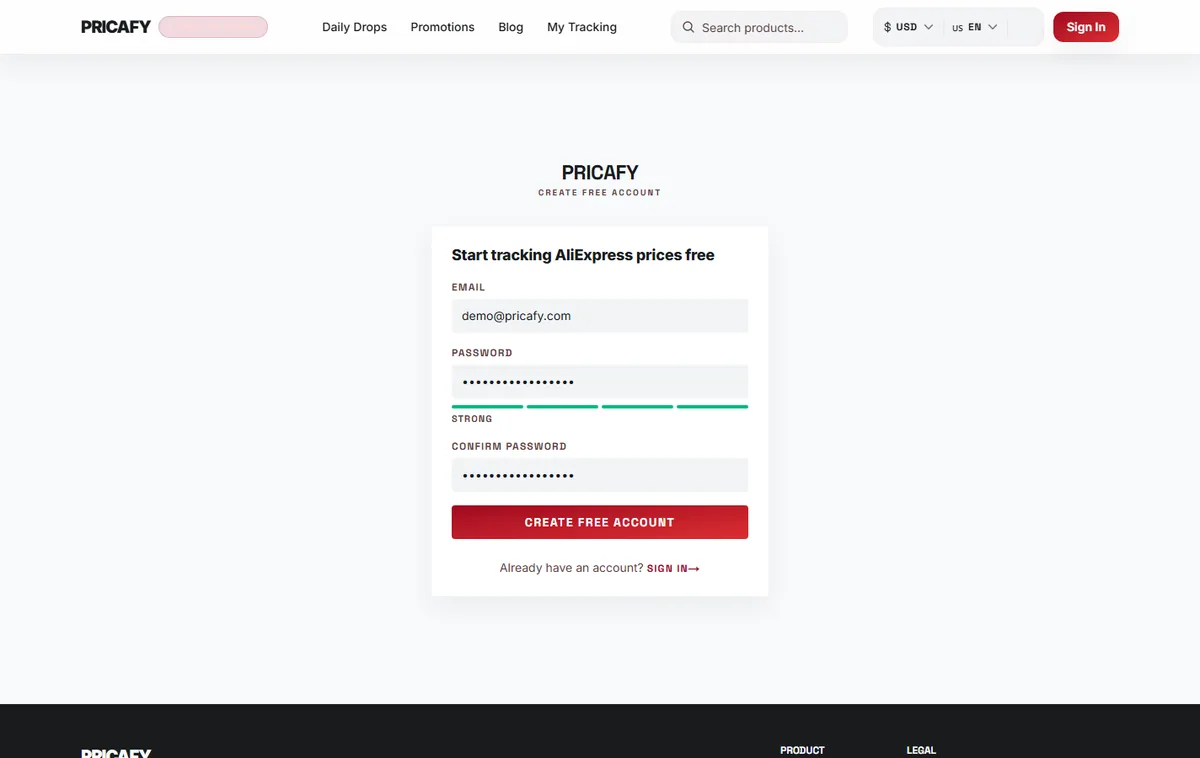
- Email field
- Password field
- Confirm password field
- Submit button
Step 3
Check your inbox
Your account is created and you're signed in straight away. Pricafy opens the Check your inbox page and emails a verification link to the address you entered. The page shows that address, so you can check it's right.
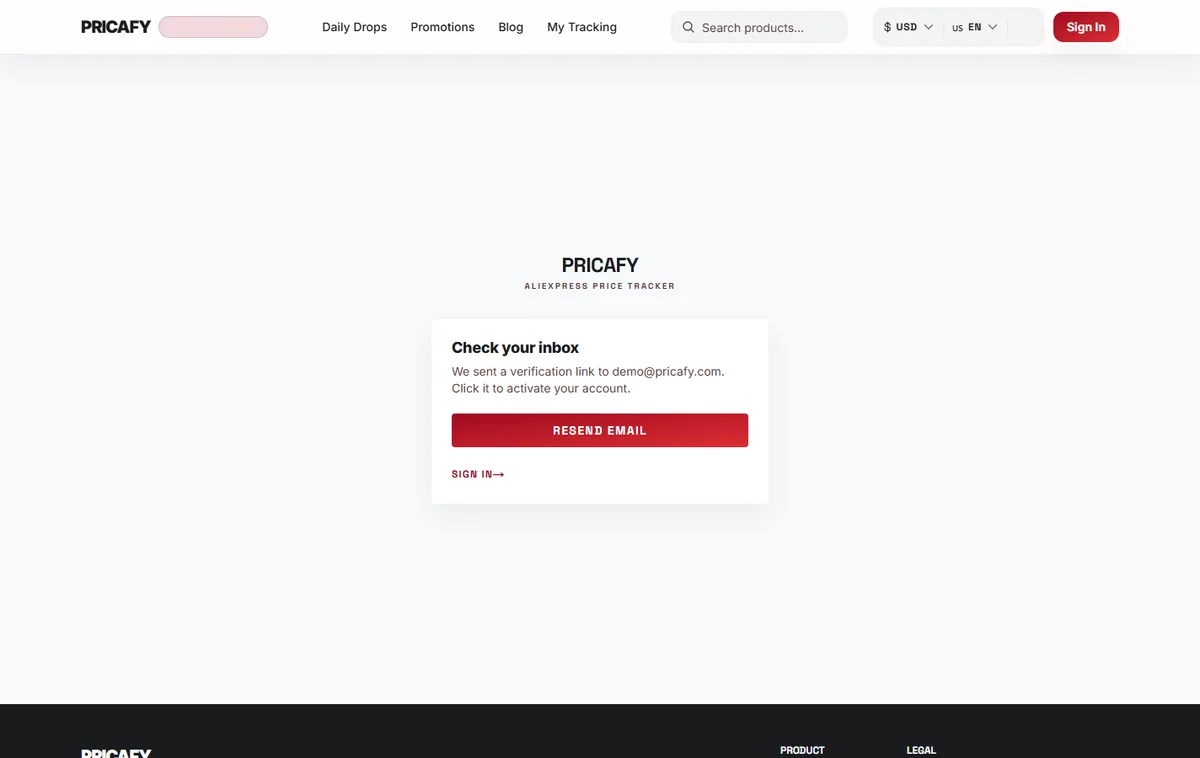
- Check-your-inbox message
Step 4
Click the link in the email
Open the email from Pricafy and click the verification link. You'll see Email verified. If you're signed in on that browser, Pricafy then takes you to your dashboard. If you opened the link on another device, you're taken to the sign-in page — sign in there with your new account.
Each verification link works once.
Step 5
Start tracking prices
Search for a product or paste an AliExpress link, open the product and track it. Tracked products appear on your dashboard. Pricafy re-checks their prices every 24 hours and sends price-drop alerts by email only.


If it didn't work
- Passwords do not match? Type exactly the same password in both password fields.
- Password must be at least 8 characters? Choose a password with 8 or more characters.
- Told the email is already registered? That address already has a Pricafy account. Sign in instead — if you don't remember the password, use Forgot password? on the sign-in page.
- No verification email after a few minutes? Check your spam and promotions folders. If the address on the Check your inbox page is wrong, create the account again with the right address.
- Verification failed? The link was already used or got cut off. Copy the full link from the email into your browser. If your email is already verified, just sign in.
- Seeing a message about too many attempts? Wait a minute, then try again.
Frequently asked questions
Is a Pricafy account free?
Yes. Creating an account, tracking products and getting email alerts are all free.
Do I have to verify my email?
You can search and track right after signing up. Verify anyway: the deals digest email is only sent to verified addresses, and a working address is how your price alerts reach you.
Can I sign up with Google or Telegram?
No. Web app accounts use an email address and a password. The Telegram bot works with your Telegram account and is separate from your web app account.
Was this article helpful?
Next step
Related articles
- What is Pricafy? Web app, extension and Telegram botPricafy tracks AliExpress prices for free. Pick the web app, the browser extension or the Telegram bot — here is what each one does.3 min read
- Sign in, stay signed in and reset your passwordSign in with your email and password, learn how long Pricafy keeps you signed in, and set a new password if you forgot yours.4 min read
- Find a product by keyword, link or item IDSearch Pricafy by product name, or paste an AliExpress link — short share links included — or an item ID to jump straight to that product's price history.4 min read
- Find a product from a photoUpload a photo or paste an image link, and Pricafy shows up to 12 similar products from AliExpress with their prices.3 min read