Find products
Find a product by keyword, link or item ID
Search Pricafy by product name, or paste an AliExpress link — short share links included — or an item ID to jump straight to that product's price history.
4 min read · Updated 2026-09-26
What you'll get
You'll open the AliExpress product you want in Pricafy, with its current price and price history, and know which kinds of links work.
Before you start
- No account needed — anyone can search. You only need a free account to track a price.
- For the fastest result, have the product link or item ID ready. In the AliExpress app, tap Share and copy the link.
On this page
Step by step
Step 1
Search by keyword
- Type a few words from the product name in the search box at the top of the home page, for example
earbuds. - Click Search or press Enter.
Short, general words find more: search matches your words in the product titles, and titles are in English.
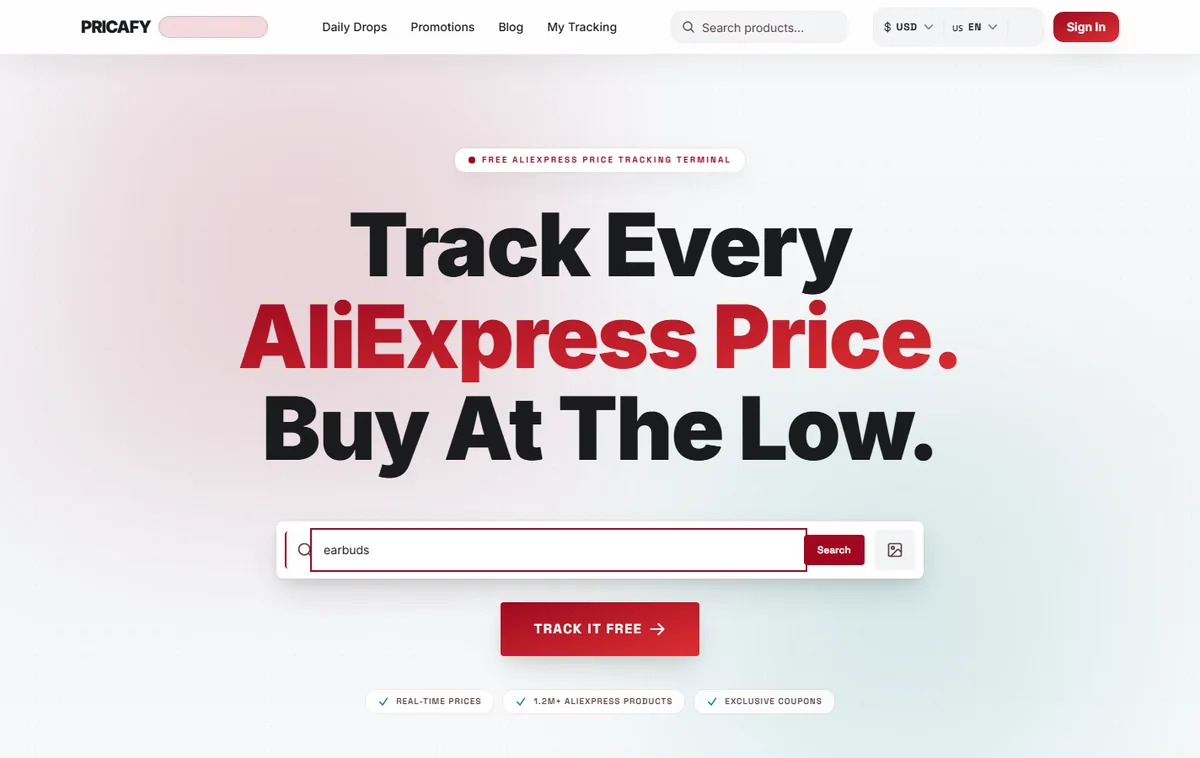
- Search box
- Search button
- Type a few words from the product name in the search box at the top of the home page, for example
Step 2
Open a product from the results
The results page lists the matching products Pricafy already knows, 20 per page. Each card shows the current price and the discount.
- Click a card to open the product page with its price history.
- To try other words, edit the search box at the top of the results and search again.
Not finding it? Paste the product link instead (next step) — that works for any AliExpress product, even one that isn't in the results yet.
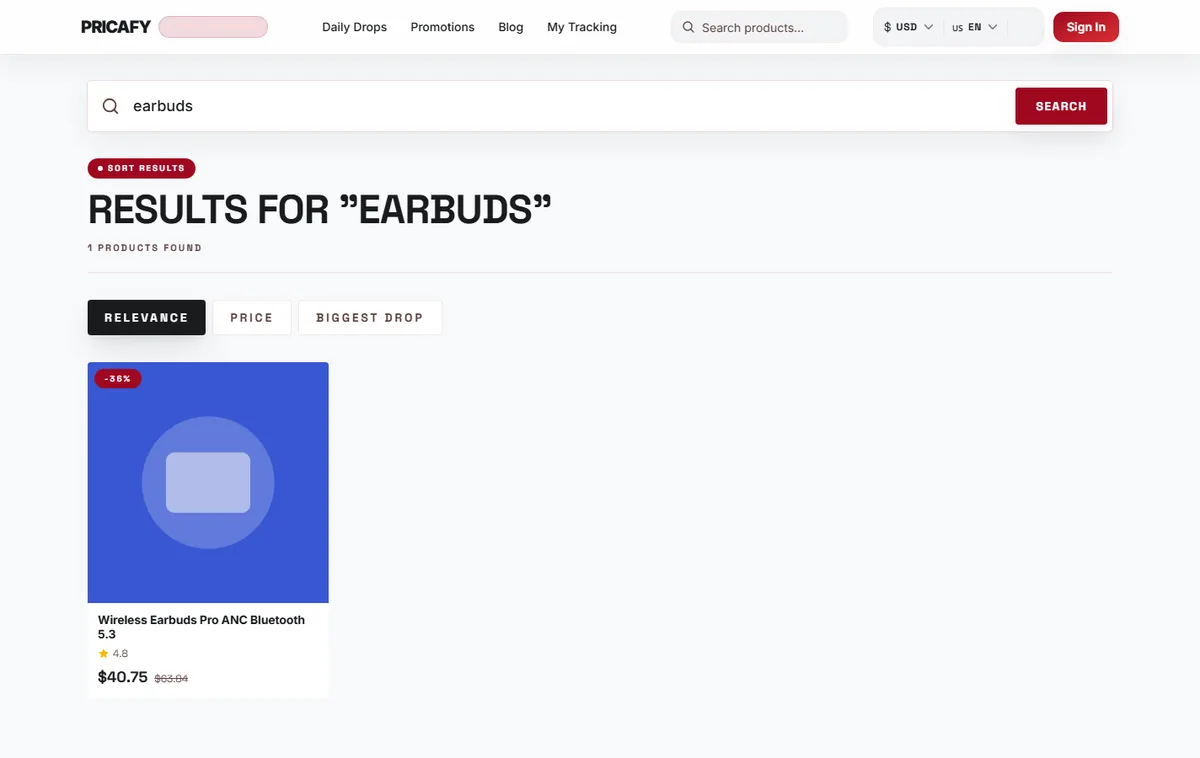
- Search box
- Search results
Step 3
Paste a product link
- Copy the address of the product page on AliExpress. It contains
/item/and a long number, likehttps://www.aliexpress.com/item/1005006000000001.html. - Paste it into the search box. The button changes to Go to product.
- Click Go to product. The product page opens directly, with no results list in between.
Links from every AliExpress site work (aliexpress.com, aliexpress.us, aliexpress.ru, m.aliexpress.com), including the extra tracking text after
.html.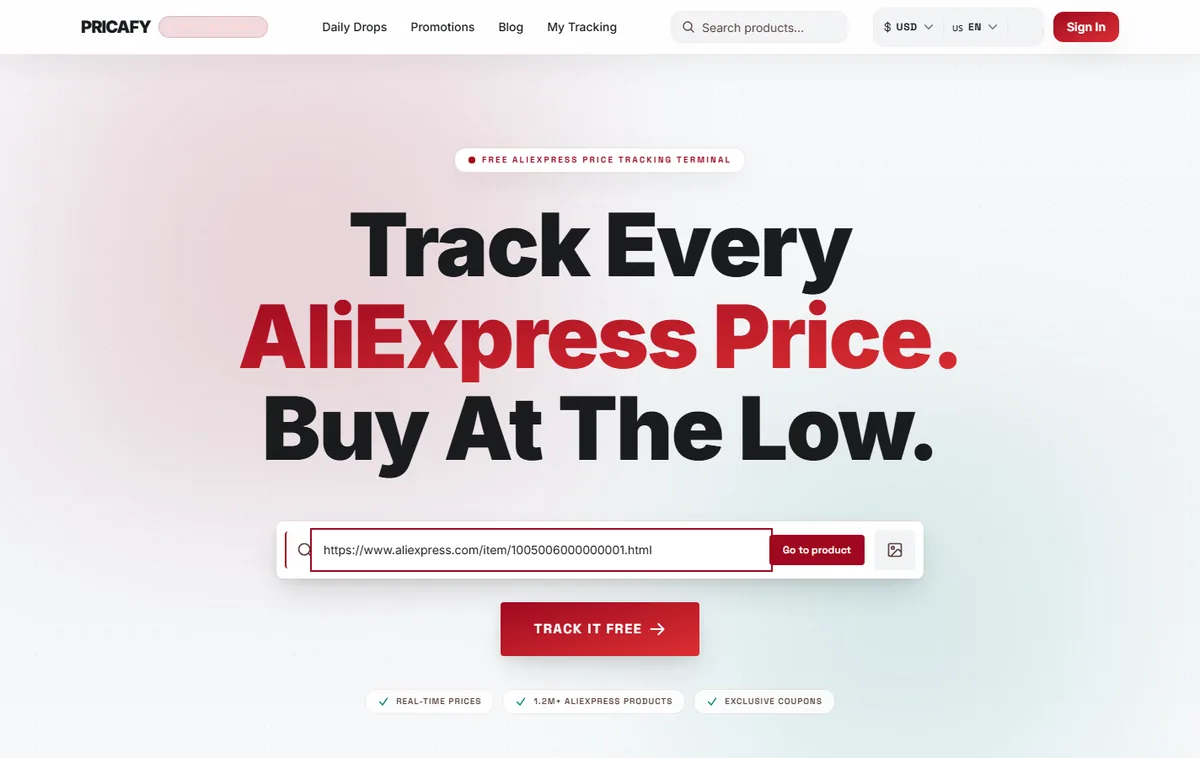
- Search box
- Search button
- Copy the address of the product page on AliExpress. It contains
Step 4
Short share links from the AliExpress app
When you share a product from the AliExpress app, you get a short link on s.click.aliexpress.com or a.aliexpress.com. Paste it just as it is and click Go to product. You'll see Resolving link… for a moment while Pricafy follows the link to the product, then the product page opens.
Other link shorteners, such as bit.ly or t.co, are not followed. Pasting one shows We couldn't read this link. Paste the product link from the AliExpress app or site (Share → Copy link), or the item number. Open that link in your browser first, then copy the full AliExpress address from the address bar.
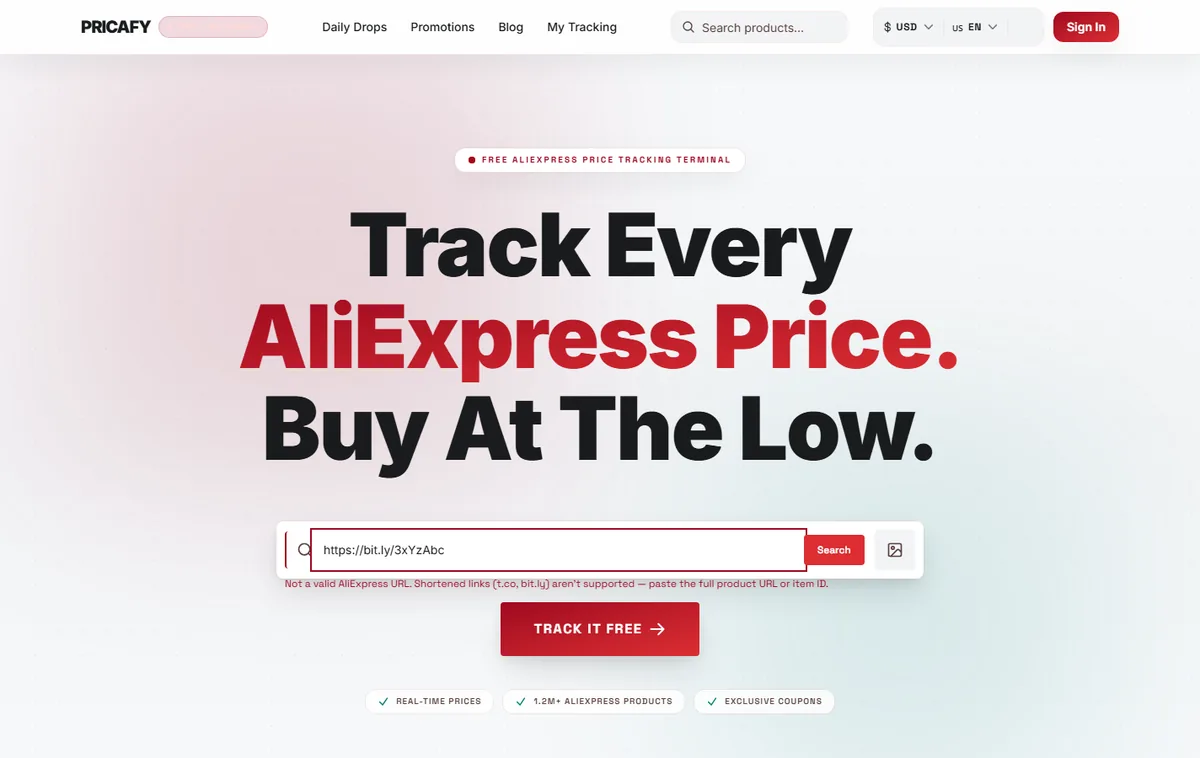
- Search box
- Error message
Step 5
Enter an item ID
The item ID is the long number in a product link —
1005006000000001inaliexpress.com/item/1005006000000001.html.- Type or paste just the number into the search box.
- Click Search. The product page opens directly.
Item IDs have at least 10 digits. A shorter number is searched as a keyword instead.


If it didn't work
- We couldn't read this link. Paste the product link from the AliExpress app or site (Share → Copy link), or the item number. — the link isn't from AliExpress, or it's from another shortener. Open it in your browser and copy the full AliExpress product address, or enter the item ID.
- Unsupported link source. — the link is an AliExpress page but not a product, such as a store, category or search page. Open the product itself and copy its link.
- We couldn't find a product in this link. Open the product on AliExpress, tap Share → Copy link and paste it here, or paste the item number. — the short link no longer leads to an AliExpress product (for example an expired promotion). Open the product on AliExpress and copy its full link.
- Too many requests. Try again in a moment. — you pasted many short links in a row. Wait a minute, then try again.
- Failed to load search results. Please try again. — click Retry. Keyword searches are limited to a few per minute, so if it keeps failing, wait a minute.
- No results for your words? Use fewer or more general words in English, or paste the product link instead.
Frequently asked questions
Why doesn't keyword search show every AliExpress product?
Keyword search looks through the products Pricafy already knows, matching your words in their titles. A pasted link or item ID works for any AliExpress product.
Which short links work?
Short links on s.click.aliexpress.com and a.aliexpress.com — the ones the AliExpress app and website create when you share a product. Other shorteners such as bit.ly or t.co don't work.
Do I need an account to search?
No. Searching and opening product pages is free and open to everyone. You need a free account only to track a price and get email alerts.
Was this article helpful?
Next step
Related articles
- Find a product from a photoUpload a photo or paste an image link, and Pricafy shows up to 12 similar products from AliExpress with their prices.3 min read
- What is Pricafy? Web app, extension and Telegram botPricafy tracks AliExpress prices for free. Pick the web app, the browser extension or the Telegram bot — here is what each one does.3 min read
- Create your free Pricafy account and verify your emailSign up with your email and a password, then confirm your address from the email Pricafy sends you. It's free and takes about a minute.3 min read
- Sign in, stay signed in and reset your passwordSign in with your email and password, learn how long Pricafy keeps you signed in, and set a new password if you forgot yours.4 min read