Find products
Find a product from a photo
Upload a photo or paste an image link, and Pricafy shows up to 12 similar products from AliExpress with their prices.
3 min read · Updated 2026-09-26
What you'll get
You'll see AliExpress products that look like your photo and can open any of them to check its price and price history.
Before you start
- A photo of the product: a JPEG, PNG or WebP file up to 5 MB, or a link to an image online.
- No account needed. You only need a free account to track a price.
On this page
Step by step
Step 1
Open image search
On the Pricafy home page, click the picture icon next to the search box (Search by Image). A window opens where you add your image.
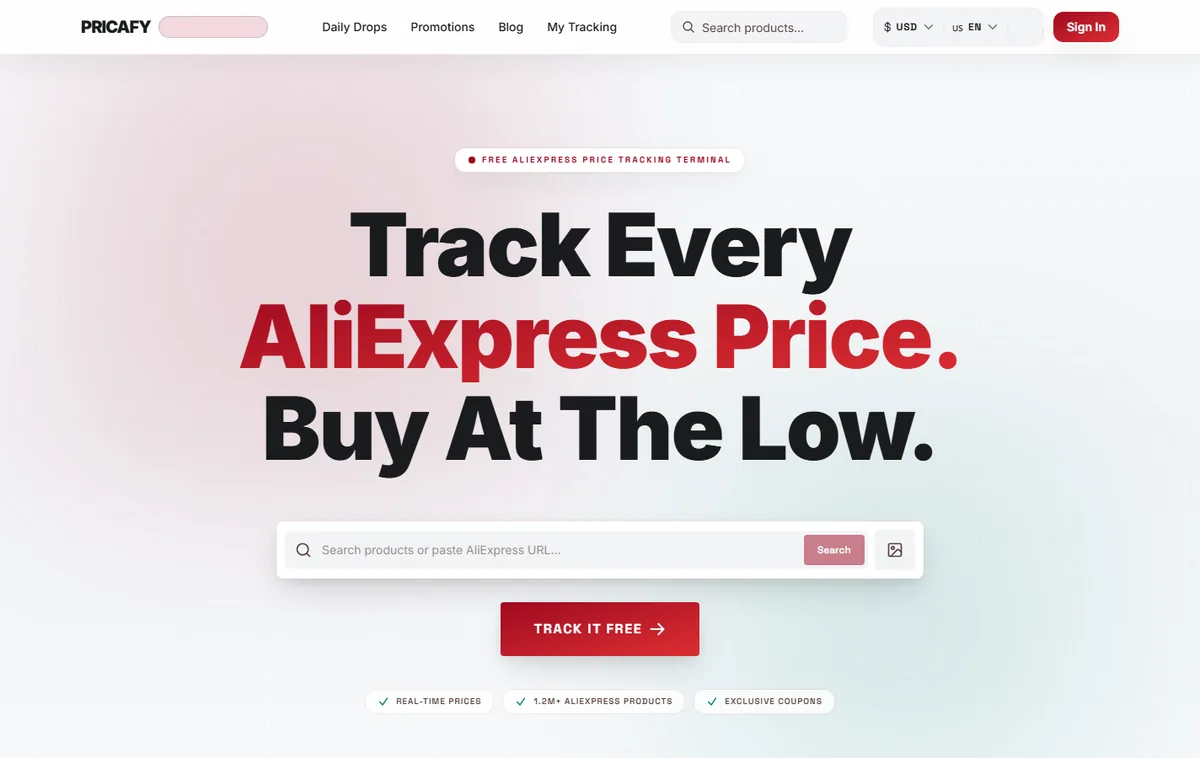
- Search by Image
Step 2
Add your photo or an image link
Do one of these:
- Drag your photo onto the box that says Drag & drop an image, or click to browse, or click the box to pick a file. JPEG, PNG, or WebP — max 5 MB. On a phone, tapping the box lets you choose from your photos.
- Or paste a link to an image under Or paste an image URL. The link must start with
http://orhttps://.
A preview of the image appears. To pick another file, click Remove image.
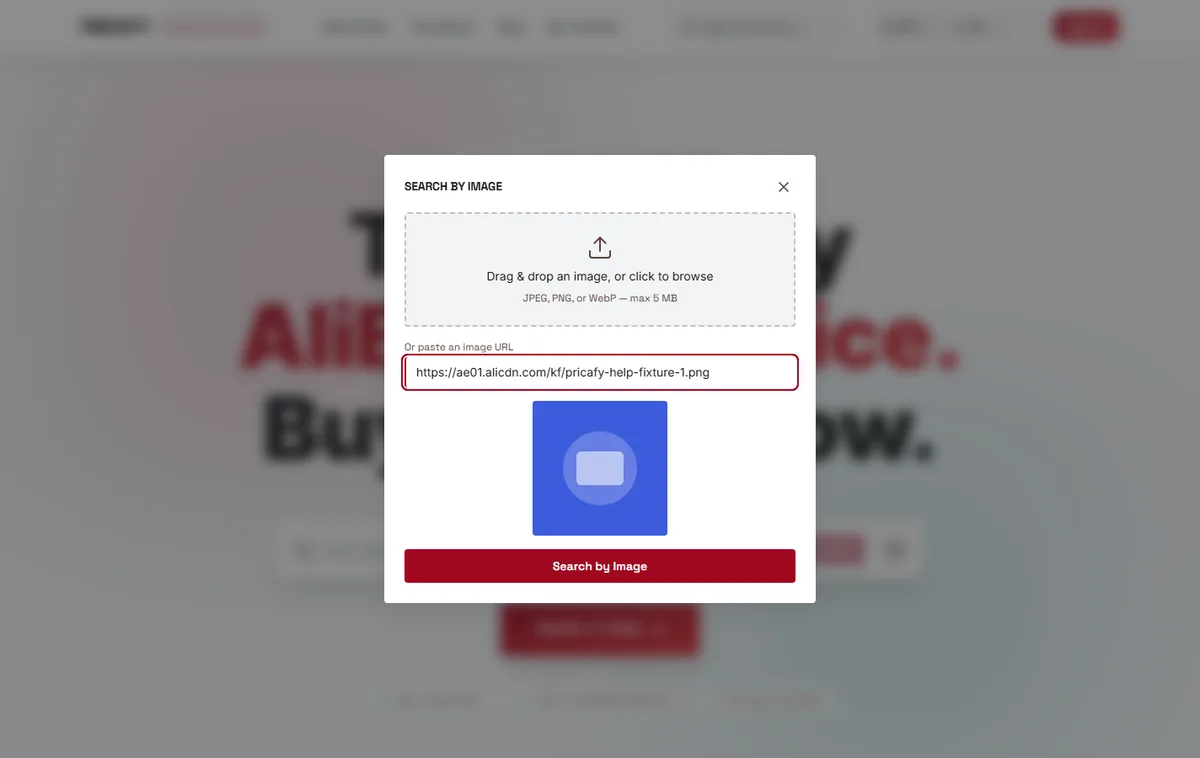
- Image drop zone
- Image URL field
Step 3
Start the search
Click Search by Image under the image. You'll see Analyzing image… while AliExpress looks for matching products — this usually takes a few seconds.
For better matches, use a clear photo of just the product, cropped close, on a plain background.
- Search by Image button
Step 4
Pick a product from the results
The Image Search Results page shows up to 12 products that look like your photo, with their current prices. They are similar items, so the exact product isn't always among them.
Click a product to open its page, with its price history and a button to track it.
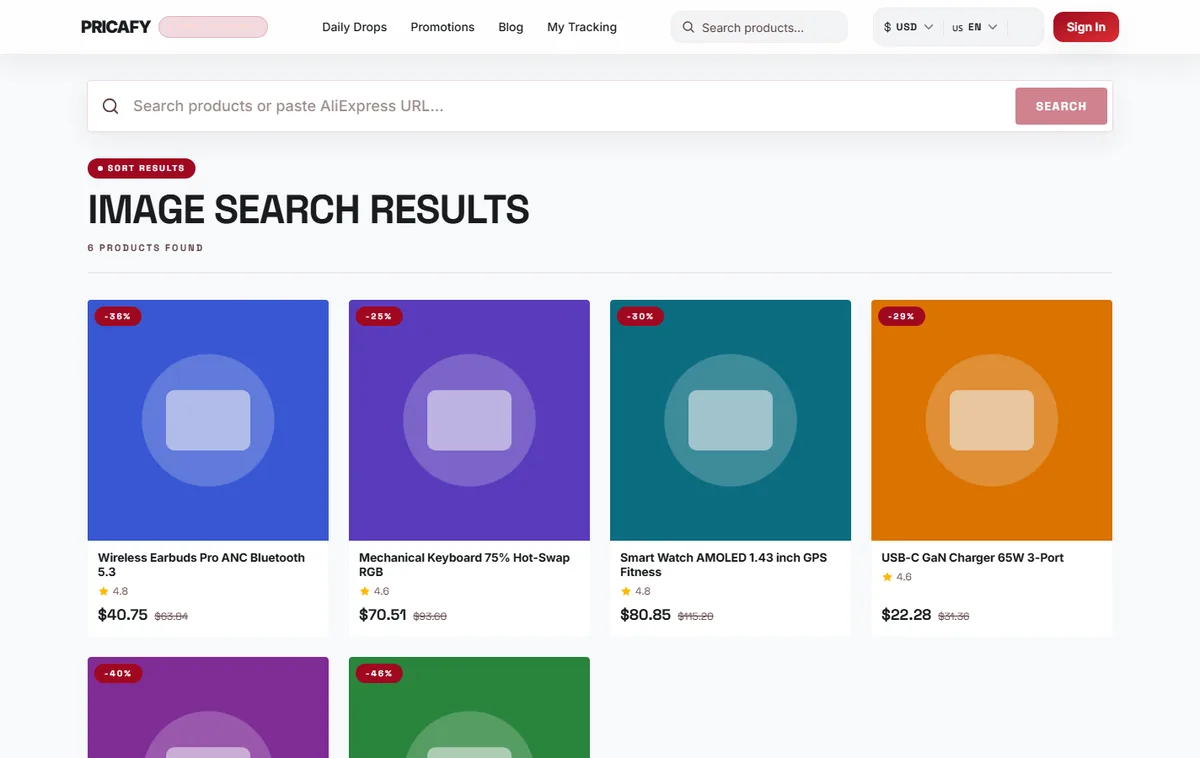
- Search results


If it didn't work
- File exceeds 5 MB limit — make the photo smaller: crop it, take a screenshot of it, or export it at a lower quality, then try again.
- Image search failed. Please try again. right after choosing a file — the file type isn't supported. Use a JPEG, PNG or WebP image (on iPhone, HEIC photos can be shared as JPEG).
- Please enter a valid HTTP or HTTPS URL — the image link must start with `http://` or `https://`. Copy the image address again (right-click the image → copy image address).
- An error with a short code such as image_fetch_failed after pasting a link — the site hosting the image didn't let Pricafy download it. Save the image to your device and upload the file instead.
- The Search by Image button stays greyed out — no image is selected yet. Add a file or paste an image link first.
- The results disappeared after you refreshed the page — image results are shown once. Run the image search again.
- Searches fail after several tries in a row — image search is limited to 5 searches per minute. Wait a minute and try again.
Frequently asked questions
Is my photo saved?
No. Your photo is sent to AliExpress image search to find matching products. It isn't saved to your Pricafy account.
Why don't the results show the exact product?
Image search finds visually similar products. If you know the product, paste its link or item ID into the search box instead — that opens the exact product.
Can I search by image from the search results page?
Not yet. Image search is on the home page: use the picture icon next to the search box.
Was this article helpful?
Next step
Related articles
- Find a product by keyword, link or item IDSearch Pricafy by product name, or paste an AliExpress link — short share links included — or an item ID to jump straight to that product's price history.4 min read
- What is Pricafy? Web app, extension and Telegram botPricafy tracks AliExpress prices for free. Pick the web app, the browser extension or the Telegram bot — here is what each one does.3 min read
- Create your free Pricafy account and verify your emailSign up with your email and a password, then confirm your address from the email Pricafy sends you. It's free and takes about a minute.3 min read
- Sign in, stay signed in and reset your passwordSign in with your email and password, learn how long Pricafy keeps you signed in, and set a new password if you forgot yours.4 min read