Deals & savings
Find the best deals in Daily Drops
Browse current AliExpress discounts, filter by category, price and discount, and sort to find the deal worth buying.
4 min read · Updated 2026-09-26
What you'll get
You see only the deals that match your category, budget and minimum discount, in the order you want.
Before you start
- You don't need an account to browse deals. You only need one to track a product.
On this page
Step by step
Step 1
Open Daily Drops
On a computer, click Daily Drops in the top menu. On a phone, tap Deals in the bottom bar.
Every deal is a product Pricafy already follows whose AliExpress price is below its original price. The biggest discount comes first, 20 deals per page. Use the page numbers at the bottom to see more.
Step 2
Narrow the list with filters
- Category: pick one AliExpress category, or All Categories. Category names come from AliExpress in English.
- Price Range: type a Min and/or Max price. The filter applies when you press Enter or leave the field. Amounts are in US dollars, even if you picked another currency.
- Min Discount: choose Any, 20%+, 30%+, 50%+ or 70%+.
The list updates right away.
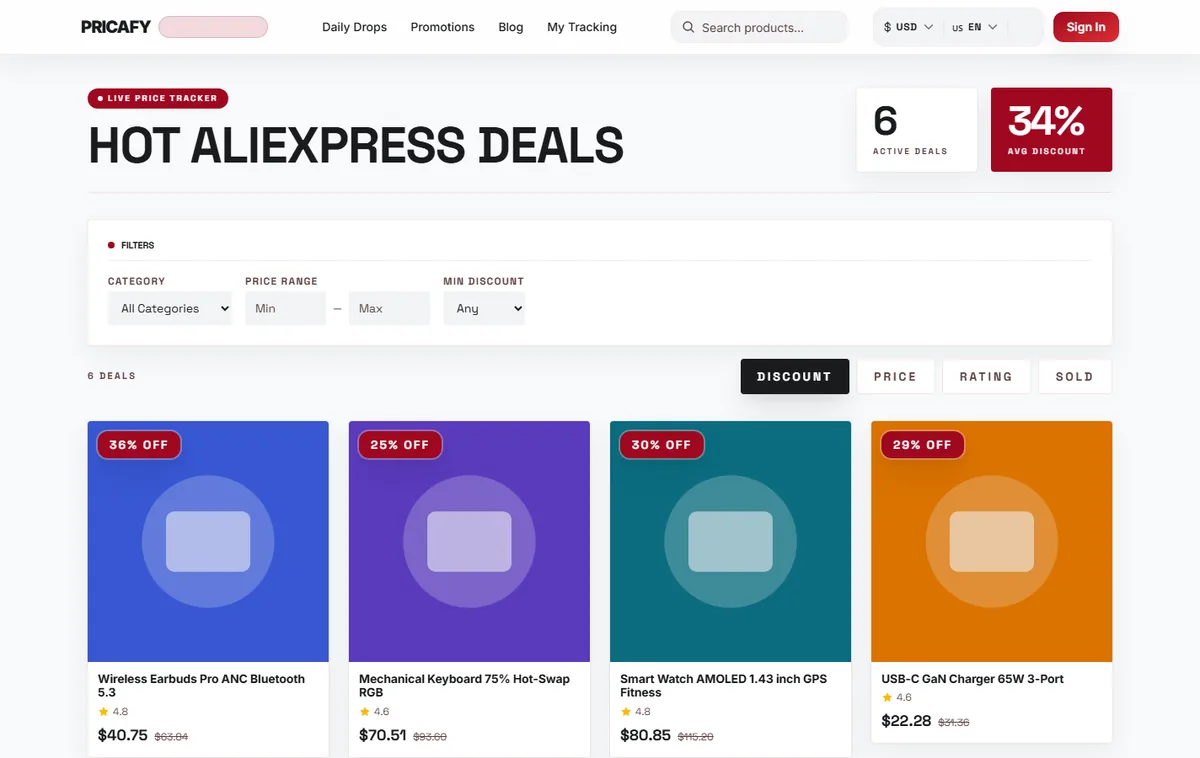
- Category filter
- Price range filter
- Min discount filter
Step 3
Sort, and clear filters
Use the sort tabs: Discount shows the biggest discount first (the default). Price shows the cheapest deal first.
Each active filter shows as a chip next to the filters. Click its × to remove it.
Your filters and sort are saved in the page address, so you can bookmark or share the exact list.
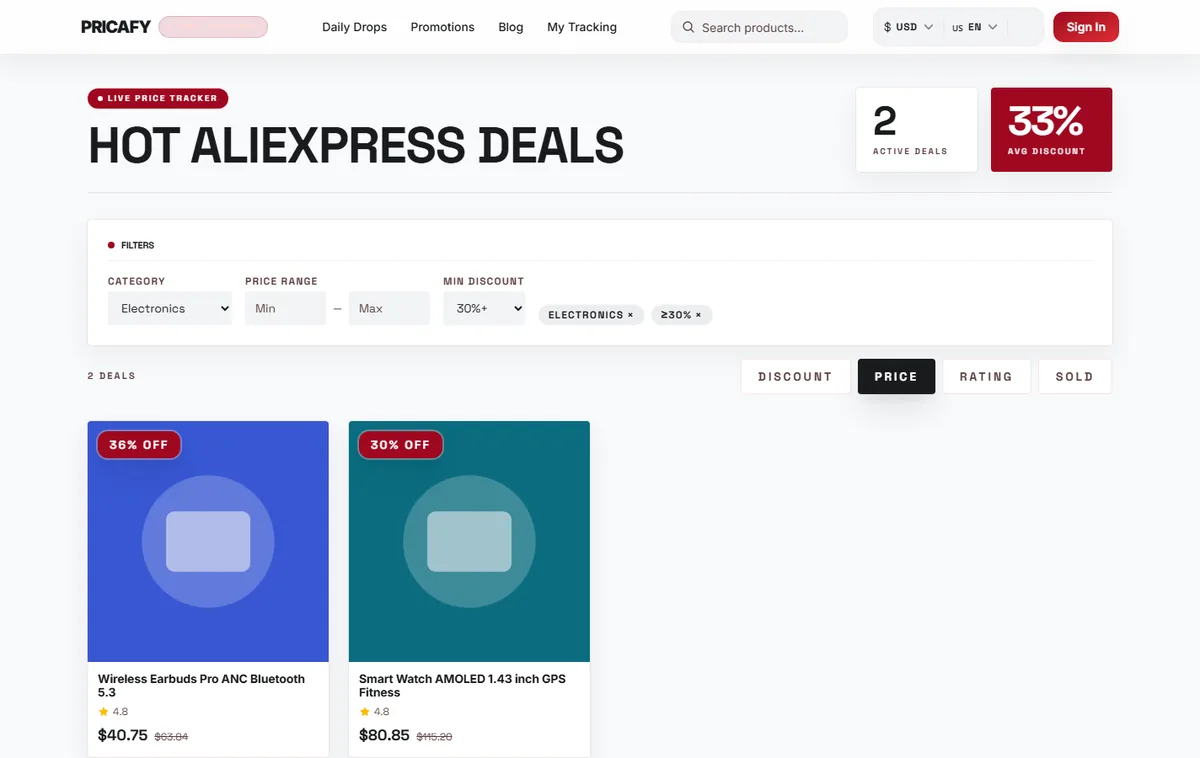
- Sort tabs
- Active filters
Step 4
Check a deal before you buy
The discount compares today's price with the original price that AliExpress shows. Sellers sometimes raise that original price to make a discount look bigger.
Open a deal to see its product page and price history (see the guide "Unlock price history"). If the price is near its lowest, buy on AliExpress. If not, track it and wait for a drop.


If it didn't work
- No deals found: your filters are too narrow. Remove a chip or pick a lower Min Discount.
- Failed to load deals. Please try again.: click Retry. If it keeps failing, reload the page a bit later.
- Rating and Sold don't change the order yet: ratings and sales counts aren't available for deals, so the list stays sorted by discount.
- The price on AliExpress is different: prices change during the day, and AliExpress may show a price for your country. The price at AliExpress checkout is the one that counts.
Frequently asked questions
Does Pricafy check that the discount is real?
No. The percentage compares with AliExpress's original price. Use the price history on the product page to see if it's really low.
Is the deals list personalised?
No. Everyone sees the same deals. Drops on the products you track come as price alerts by email.
Can I get these deals by email?
Yes. The deals digest emails you the top 10 discounts, daily or weekly (see the guide "Get the deals digest").
Was this article helpful?
Next step
Related articles
- Use promo codes and the sale calendarFind live AliExpress promo codes, use one at checkout, and plan your shopping around the big AliExpress sales.4 min read
- What is Pricafy? Web app, extension and Telegram botPricafy tracks AliExpress prices for free. Pick the web app, the browser extension or the Telegram bot — here is what each one does.3 min read
- Create your free Pricafy account and verify your emailSign up with your email and a password, then confirm your address from the email Pricafy sends you. It's free and takes about a minute.3 min read
- Sign in, stay signed in and reset your passwordSign in with your email and password, learn how long Pricafy keeps you signed in, and set a new password if you forgot yours.4 min read