Deals & savings
Use promo codes and the sale calendar
Find live AliExpress promo codes, use one at checkout, and plan your shopping around the big AliExpress sales.
4 min read · Updated 2026-09-26
What you'll get
You apply a live promo code at AliExpress checkout, or you know when the next big sale is and are ready for it.
Before you start
- You don't need a Pricafy account to see promotions.
- To use a code, you need an AliExpress account.
On this page
Step by step
Step 1
Open Promotions
On a computer, click Promotions in the top menu. On a phone, open the menu (☰) and tap Promotions.
The page lists the promo codes that AliExpress offers right now. Pricafy refreshes the list from AliExpress about every 10 minutes. When codes cover 2 or more categories, chips appear above the list: pick one, or All.
Step 2
Copy a code and get the offer
Each card shows the discount (a percentage, or an amount in your currency), the code, the minimum spend or No minimum, and when it ends: Ends today, a number of days, or Open-ended. The end date turns red when 3 days or fewer are left.
- Click or tap the code to select all of it, then copy it.
- Click Get this offer. AliExpress opens in a new tab.
- Add your products to the cart and paste the code in the promo code field at checkout.
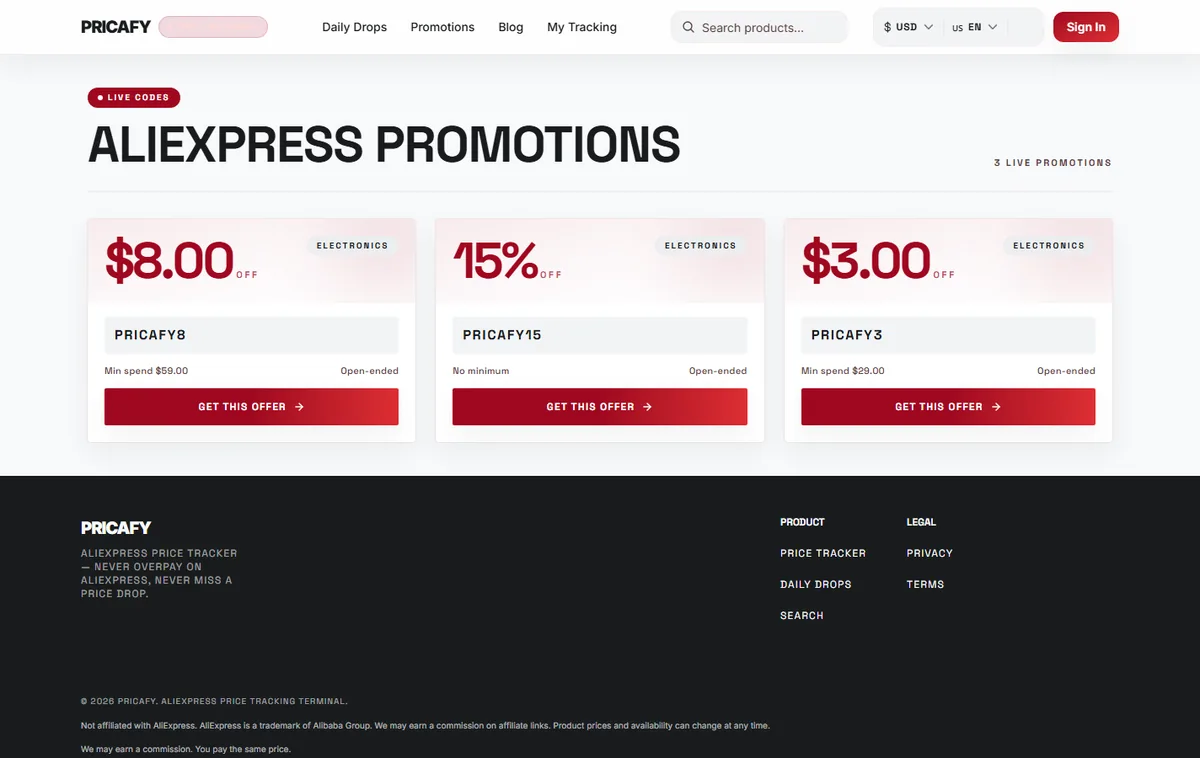
- Promo code
- Get this offer button
Step 3
Check the sale calendar
When AliExpress has no live codes, you see No live promotions right now and the AliExpress sale calendar instead:
- 11.11 Global Shopping Festival: November 11
- Black Friday: Late November
- 12.12 Year-End Sale: December 12
- AliExpress Anniversary Sale: Late March
- Choice Day: 3rd and 18th of every month
These dates are the usual ones. AliExpress announces the exact dates shortly before each sale. Browse all AliExpress deals opens AliExpress in a new tab.
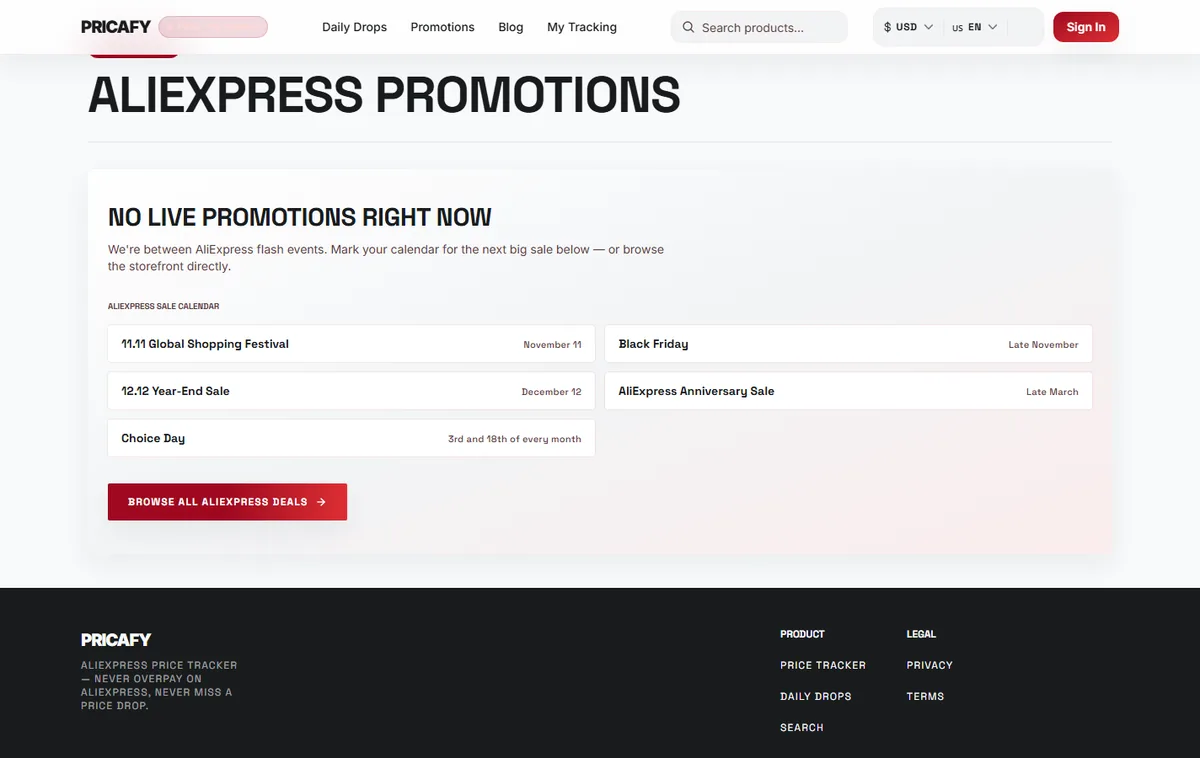
- Sale calendar
- Browse all deals button
Step 4
Get ready before a big sale
A few weeks before a sale, track the products you want (see the guide "Track a product") and set a target price. During the sale you get an email if the price drops enough.
Some sellers raise prices before a sale and then "discount" them. Check the price history on the product page: a real sale price is near the product's lowest price.


If it didn't work
- AliExpress rejects the code: check the minimum spend and the end date. AliExpress decides where a code works (for example some categories, countries or new customers only).
- A code you saw earlier is gone: it ended or AliExpress removed it. The list follows AliExpress about every 10 minutes.
- No live promotions right now: AliExpress has no codes at the moment, which is normal between sales. Use the sale calendar and check back later.
Frequently asked questions
Does Pricafy create these codes?
No. They're AliExpress codes. The buttons are affiliate links: Pricafy may earn a commission, at no extra cost to you.
Can I get an email when a new code appears?
No. Pricafy emails price alerts for tracked products and the deals digest, not promo codes.
Can I use a code together with a deal from Daily Drops?
AliExpress checks the code's conditions at checkout. If your order meets them, the code applies on top of the current price.
Was this article helpful?
Next step
Related articles
- Find the best deals in Daily DropsBrowse current AliExpress discounts, filter by category, price and discount, and sort to find the deal worth buying.4 min read
- What is Pricafy? Web app, extension and Telegram botPricafy tracks AliExpress prices for free. Pick the web app, the browser extension or the Telegram bot — here is what each one does.3 min read
- Create your free Pricafy account and verify your emailSign up with your email and a password, then confirm your address from the email Pricafy sends you. It's free and takes about a minute.3 min read
- Sign in, stay signed in and reset your passwordSign in with your email and password, learn how long Pricafy keeps you signed in, and set a new password if you forgot yours.4 min read