Alerts & emails
How price alerts work
When Pricafy checks prices, which drops trigger an email, and why an alert can take a few hours to reach you.
4 min read · Updated 2026-09-26
What you'll get
You know exactly when a price-drop email is sent, and which two settings decide whether you get one.
Before you start
- You're signed in and track at least one product (see the guide "Track a product").
- Alerts go to the email address you signed up with. There are no push or Telegram alerts in the web app.
On this page
Step by step
Step 1
Check your two alert settings
Open your dashboard and click Settings. In the alerts panel:
- NOTIFICATIONS must be on. When it's off, you get no price-drop emails at all, but your products stay tracked.
- MIN DROP % is the smallest drop that's worth an email, from 1% to 50%. It starts at 5% and applies to all your products.
Changes save on their own, and you see Settings saved.
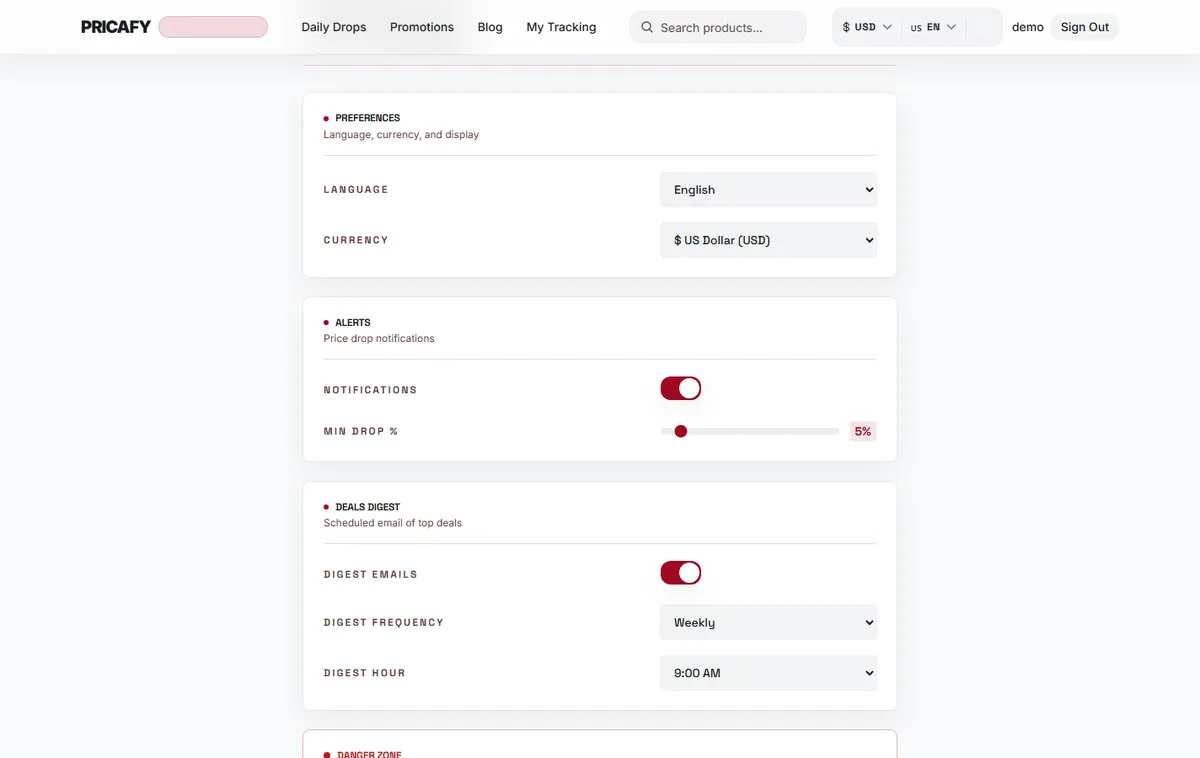
- Notifications switch
- Min drop % slider
Step 2
We check every tracked product every 24 hours
Pricafy re-checks the price of each tracked product every 24 hours, not live. Each check is compared with the price at the previous check.
For example, with MIN DROP % at 5%, a $40 product must fall to $38 or less between two checks. A price that slips 2% a day never triggers an email.
Step 3
Know which drops send an email
After a check, you get an email only when all of these are true:
- NOTIFICATIONS is on.
- The price dropped by at least your MIN DROP %.
- If you set a Target price (optional), the new price is at or below it.
- You haven't had an alert for this product in the last 24 hours.
A card that says Tracking with smart alerts (no target set) has no target, so rule 3 is skipped and any big-enough drop counts. Prices going up never send an email.
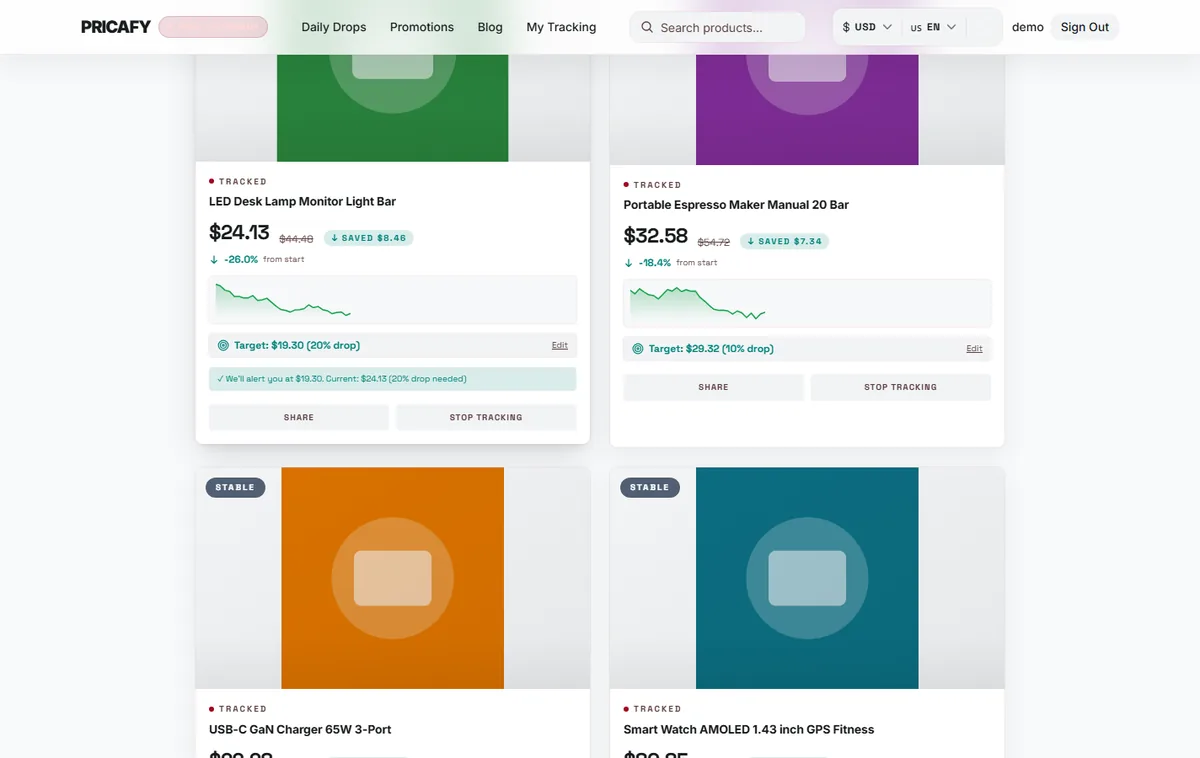
- Target confirmation
Step 4
Expect the email 30 minutes to 12 hours later
Alerts aren't instant. Each email is sent at a random moment 30 minutes to 12 hours after we spot the drop, and you get at most one email per product every 24 hours.
The email shows the old and new price, a button to buy on AliExpress, and up to 3 cheaper alternatives when we find them. Prices can change again before you open it, so check the product page before you buy.


If it didn't work
- No email after a drop: check that NOTIFICATIONS is on, that the drop between two checks reached your MIN DROP %, and that the price is at or below your target, if you set one.
- The price fell slowly over several days: each check is compared with the previous one, so small daily drops don't add up. Lower your MIN DROP % to catch them.
- You saw a lower price on AliExpress but got no email: the drop may have happened after our last check, or the email is still on its way. Allow up to 24 hours plus the 12-hour delay.
- Still nothing: look in your spam or promotions folder, and add Pricafy to your contacts.
- You clicked unsubscribe in an alert email: that turned NOTIFICATIONS off. Turn it back on in Settings.
Frequently asked questions
Why aren't alerts instant?
Prices are checked every 24 hours, and emails are spread over 30 minutes to 12 hours after each check.
Can I set a different minimum drop for each product?
No. MIN DROP % applies to all your products. For one product, set a target price on its dashboard card instead.
Do I get an email when a price goes up?
No. Only drops can trigger an alert.
Can I get alerts on Telegram or as push notifications?
No. The web app sends price alerts by email only.
Was this article helpful?
Next step
Related articles
- Get the deals digestA scheduled email with the 10 biggest AliExpress discounts, daily or weekly, at the hour you pick.3 min read
- Manage or unsubscribe from emailsChoose which Pricafy emails you get, stop one type with a single click, and turn it back on in Settings.3 min read
- What is Pricafy? Web app, extension and Telegram botPricafy tracks AliExpress prices for free. Pick the web app, the browser extension or the Telegram bot — here is what each one does.3 min read
- Create your free Pricafy account and verify your emailSign up with your email and a password, then confirm your address from the email Pricafy sends you. It's free and takes about a minute.3 min read