Alerts & emails
Manage or unsubscribe from emails
Choose which Pricafy emails you get, stop one type with a single click, and turn it back on in Settings.
3 min read · Updated 2026-09-26
What you'll get
You only get the emails you want, and you know how to get the others back.
Before you start
- Pricafy sends two kinds of optional email: price alerts and the deals digest. Each has its own switch.
- Account emails, like email verification and password reset, only come when you ask for them and can't be switched off.
- Settings needs you to be signed in. The unsubscribe link in an email works without signing in.
On this page
Step by step
Step 1
Open Settings
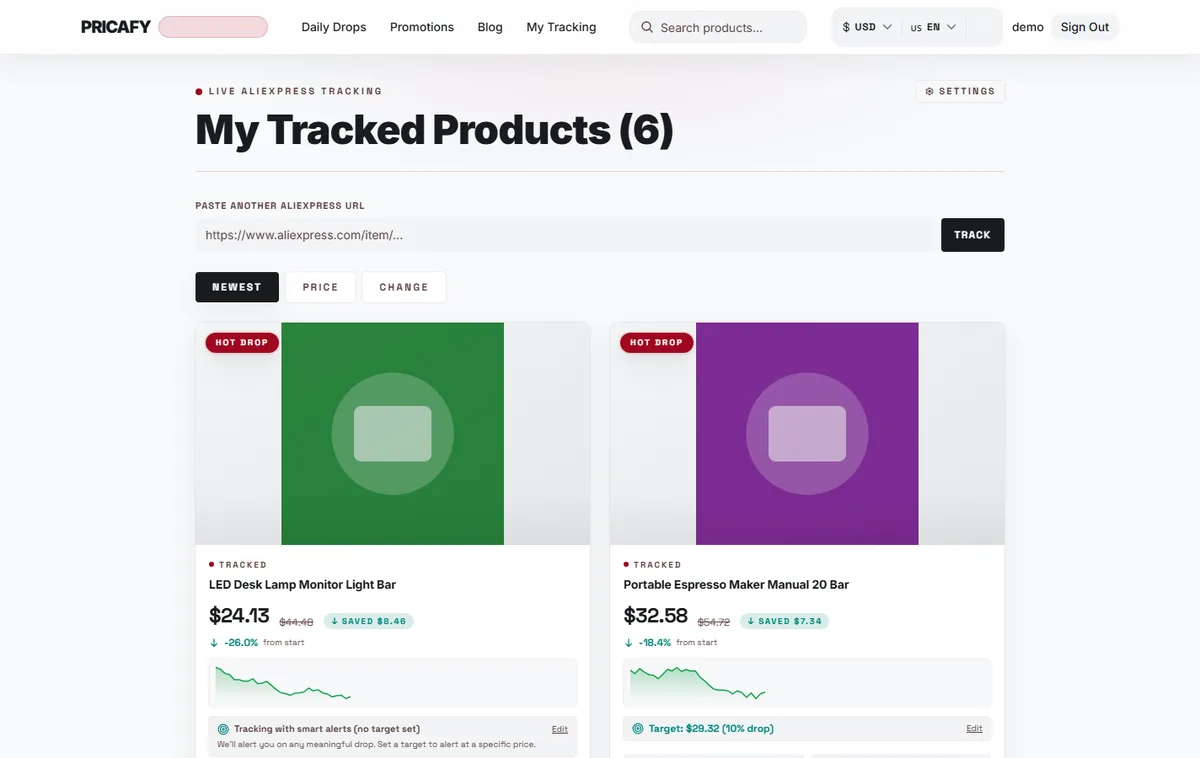
Open your dashboard (My Tracking in the menu) and click Settings at the top. On a phone, it's the gear icon.
- Settings link
Step 2
Turn price alerts on or off
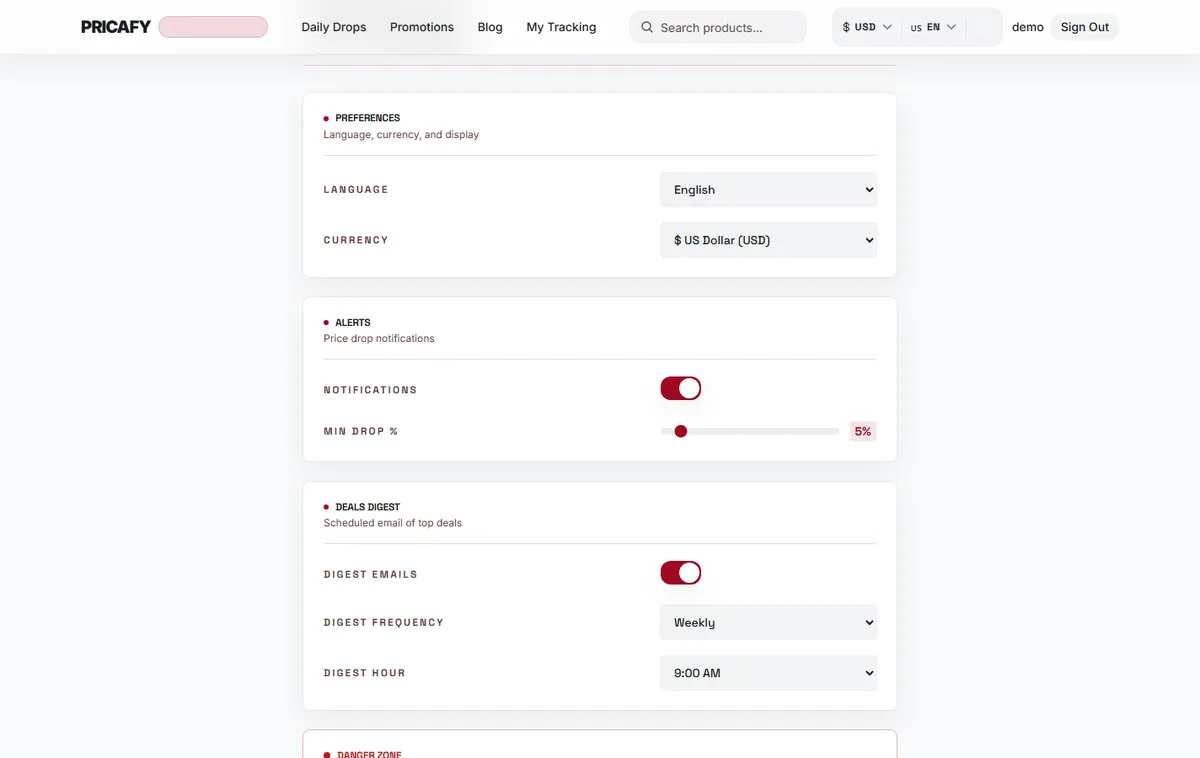
Switch off NOTIFICATIONS to stop all price-drop emails. Your products stay tracked and their price history keeps updating.
Want fewer emails rather than none? Raise MIN DROP % so only bigger drops send an email.
- Notifications switch
Step 3
Turn the deals digest on or off
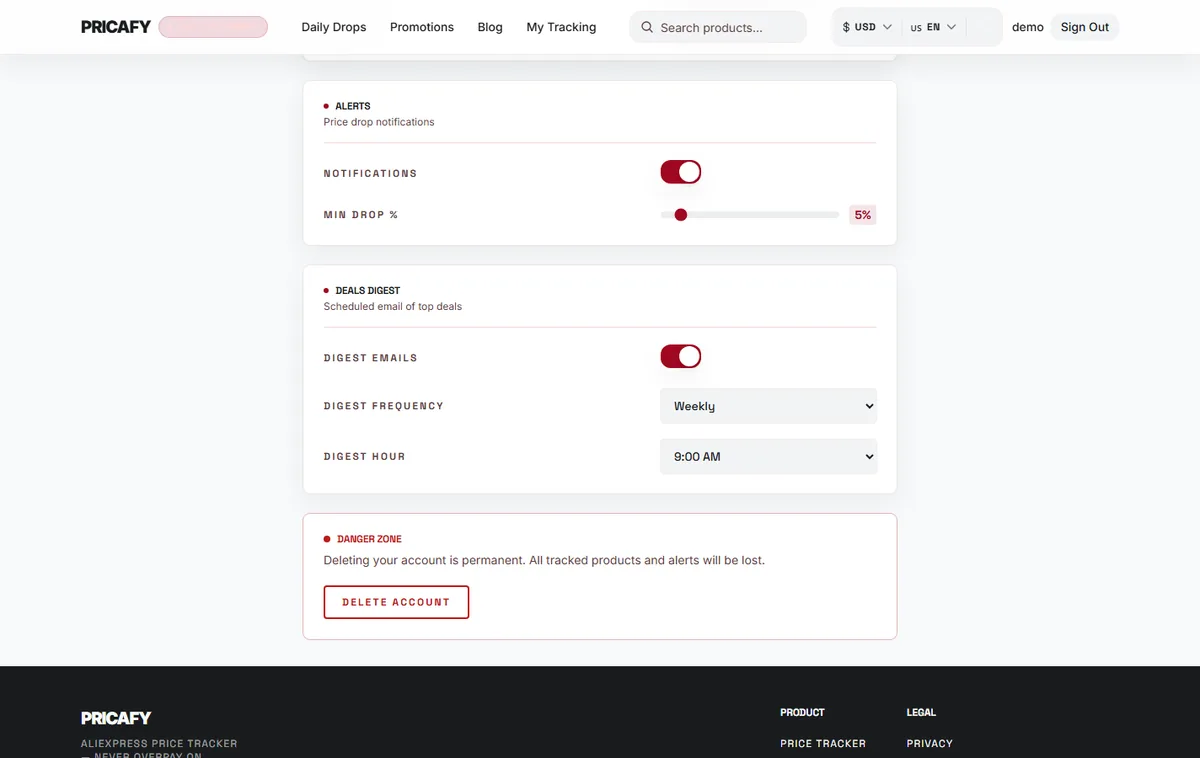
Scroll down and switch off DIGEST EMAILS to stop the digest. Price alerts are not affected.
- Digest emails switch
Step 4
Or unsubscribe from the email itself
Every price alert and digest email has an unsubscribe link at the bottom. Many email apps also show an Unsubscribe button next to the sender, which does the same.
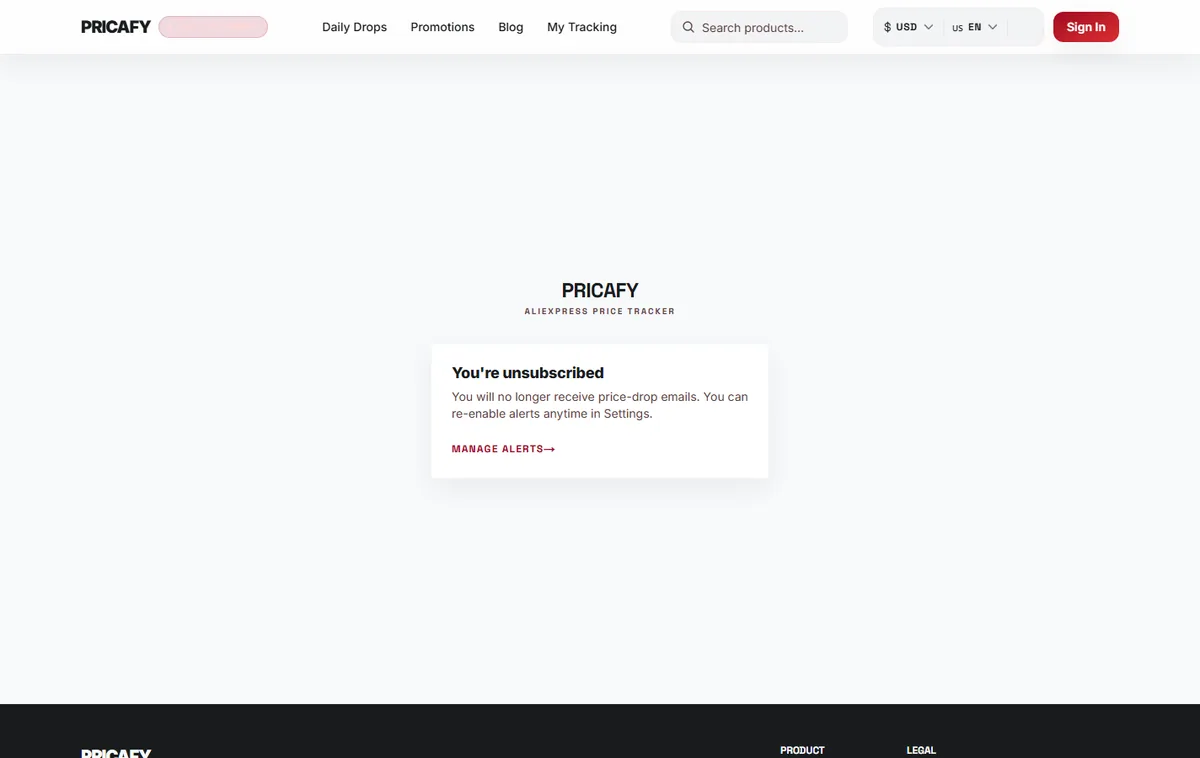
The link opens a Pricafy page that says You're unsubscribed. It switches off only that type of email:
- A link in a price alert turns off NOTIFICATIONS.
- A link in a digest turns off DIGEST EMAILS.
MANAGE ALERTS takes you to Settings.
- Manage alerts link
Step 5
Turn emails back on
Unsubscribing doesn't delete anything. To get emails again, open Settings and switch NOTIFICATIONS or DIGEST EMAILS back on. Alerts restart from the next daily check, and the digest from your next digest hour.


If it didn't work
- Unsubscribe link invalid: links expire after 30 days, and some email apps break long links. Switch the email off in Settings instead.
- You got one more alert after unsubscribing: an alert that was already on its way can still arrive. No new ones are sent.
- You want to stop emails for one product only: remove it with Stop tracking on its dashboard card.
- Settings asks you to sign in: sign in with the email address the emails were sent to.
Frequently asked questions
Does unsubscribing delete my account or my tracked products?
No. It only switches off one type of email. Your account, tracked products and target prices stay.
Can I stop verification or password reset emails?
They're only sent when you sign up or ask for a reset, so there's nothing to switch off.
How do I stop every email for good?
Switch off both NOTIFICATIONS and DIGEST EMAILS, or delete your account in Settings.
Was this article helpful?
Next step
Related articles
- How price alerts workWhen Pricafy checks prices, which drops trigger an email, and why an alert can take a few hours to reach you.4 min read
- Get the deals digestA scheduled email with the 10 biggest AliExpress discounts, daily or weekly, at the hour you pick.3 min read
- What is Pricafy? Web app, extension and Telegram botPricafy tracks AliExpress prices for free. Pick the web app, the browser extension or the Telegram bot — here is what each one does.3 min read
- Create your free Pricafy account and verify your emailSign up with your email and a password, then confirm your address from the email Pricafy sends you. It's free and takes about a minute.3 min read