Account
Change language, currency and theme
Switch the language Pricafy speaks, the currency it shows prices in, and light or dark mode, with or without an account.
3 min read · Updated 2026-09-26
What you'll get
Pricafy shows up in your language, with prices in your currency and the look you like.
Before you start
- You don't need an account. Signed out, your currency and theme are kept in this browser.
- On a computer, the three controls sit together at the top right. On a phone, they are in the menu under Preferences.
On this page
Step by step
Step 1
Find the controls
On a computer, look at the top right: the currency button (for example $ USD), the language button (for example EN) and the moon icon for the theme.
On a phone, tap the menu button (☰) at the top right. Under Preferences you get Currency, Language and Theme.
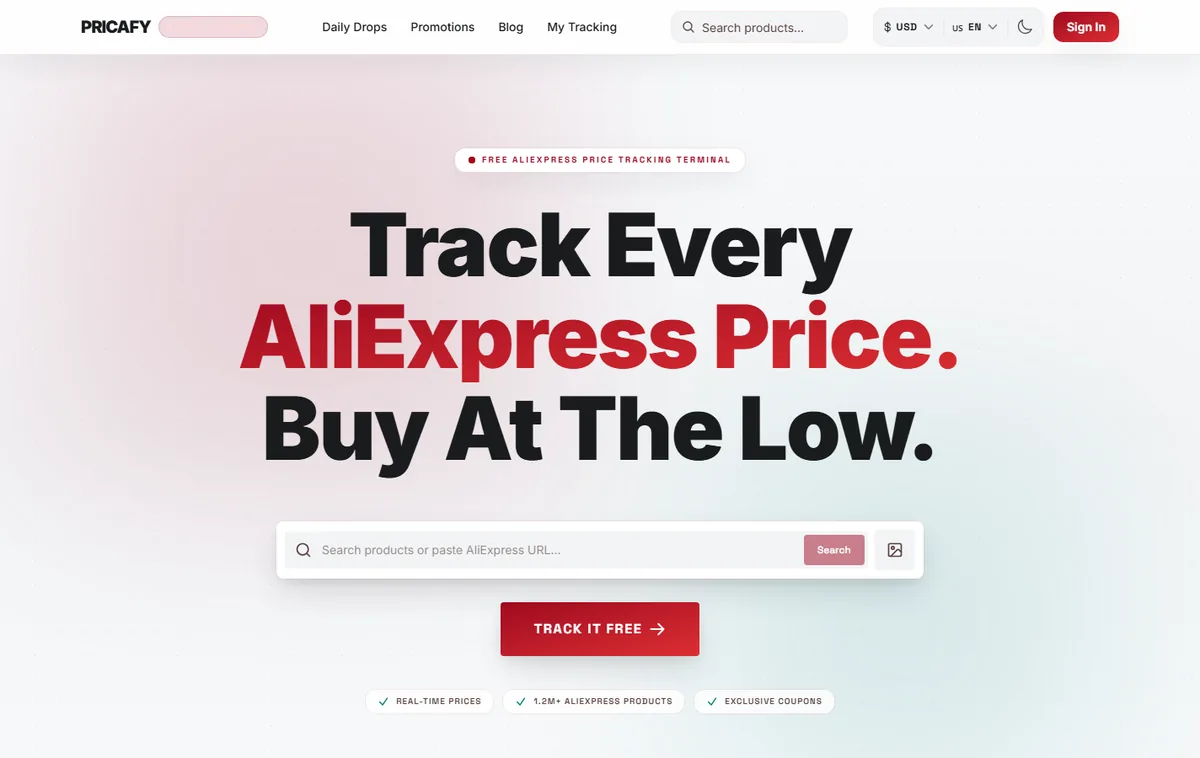
- Currency button
- Language button
- Theme switch
Step 2
Change the language
Open the language button and pick one of the 8 languages. The page reloads in that language, and Arabic switches the layout to right-to-left.
This button changes the site only. Your emails use the language saved in your account (see the last step).
Step 3
Change the currency
Open the currency button. Your current currency is at the top under Selected, then Popular near you and All currencies. Type in Search currencies... to find one by name or code.
On your first visit, Pricafy picks a currency from your location. Prices are converted from the AliExpress price with exchange rates refreshed about once a day, so treat them as close estimates.
Step 4
Switch between light and dark
On a computer, click the moon icon for dark mode, and the sun icon to go back to light.
On a phone, the menu has three choices: Light, Dark and System. System follows your device setting, and it is the default. The theme is saved in this browser only, not in your account.
Step 5
Save language and currency to your account
Signed in? Open Settings from your dashboard. Under PREFERENCES:
- LANGUAGE is the language of your emails (price alerts, the deals digest, password reset) and of the site. Changing it reloads the page in that language.
- CURRENCY is saved to your account, so it follows you when you sign in on another device.
Changes save right away and show Settings saved. While signed in, the currency button at the top also saves to your account.
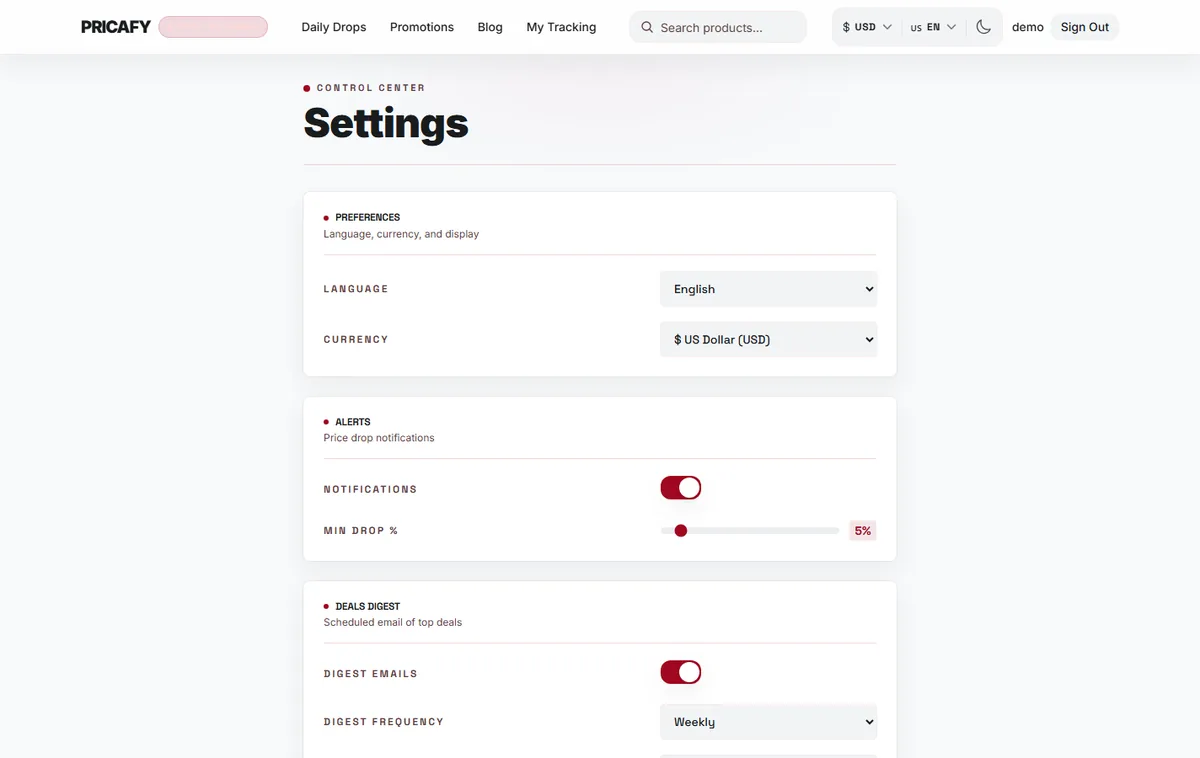
- Language setting
- Currency setting


If it didn't work
- Emails still arrive in the old language: the language button at the top only changes the site. Change LANGUAGE in Settings.
- Your currency switches back after a reload while signed in: your account can only save USD, EUR, GBP, RUB, BRL, KRW, CNY, SAR and IRR. Other currencies work while you are signed out. In Settings, picking one of them shows Failed to save. Try again.
- Your currency or theme is gone in another browser: signed out, they are kept per browser, and clearing site data resets them. Sign in to carry the currency with you.
- A price looks slightly different on AliExpress: the converted price is an estimate. AliExpress shows the final amount at checkout.
Frequently asked questions
Which languages can I use?
English, العربية, Español, Français, 한국어, Português, Deutsch and Русский.
Does changing the currency change what I pay?
No. It only changes how prices are shown on Pricafy. You pay on AliExpress, in the currency it shows at checkout.
Can I save the theme to my account?
No. The theme is saved in each browser, so set it once per device.
Was this article helpful?
Next step
Related articles
- Your settings, and how to delete your accountWhat every option on the Settings page does, from language and currency to price alerts and the deals digest, and how to delete your account for good.4 min read
- What is Pricafy? Web app, extension and Telegram botPricafy tracks AliExpress prices for free. Pick the web app, the browser extension or the Telegram bot — here is what each one does.3 min read
- Create your free Pricafy account and verify your emailSign up with your email and a password, then confirm your address from the email Pricafy sends you. It's free and takes about a minute.3 min read
- Sign in, stay signed in and reset your passwordSign in with your email and password, learn how long Pricafy keeps you signed in, and set a new password if you forgot yours.4 min read