Account
Your settings, and how to delete your account
What every option on the Settings page does, from language and currency to price alerts and the deals digest, and how to delete your account for good.
4 min read · Updated 2026-09-26
What you'll get
You know what each setting does, and how to delete your account and everything in it.
Before you start
- Settings needs you to be signed in.
- Every change saves as soon as you make it. There's no Save button.
- Deleting your account can't be undone.
On this page
Step by step
Step 1
Open Settings
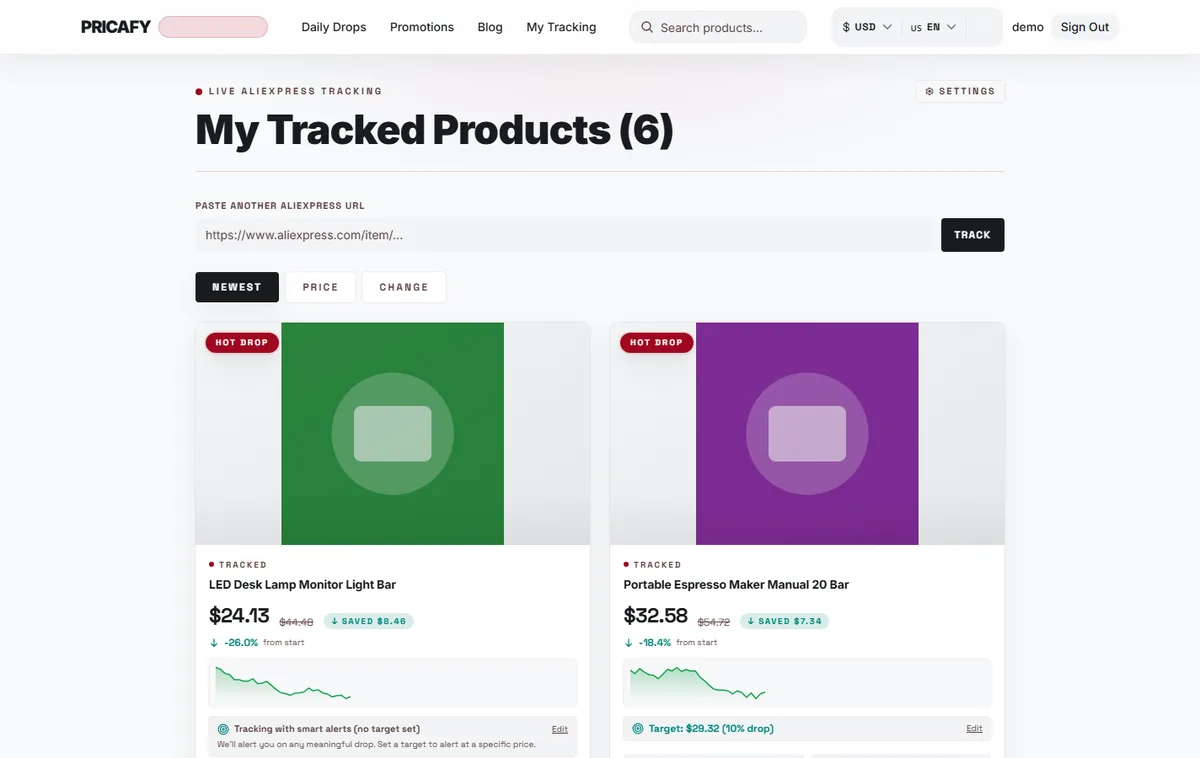
Open your dashboard (My Tracking in the menu) and click Settings at the top. On a phone, it's the gear icon.
- Settings link
Step 2
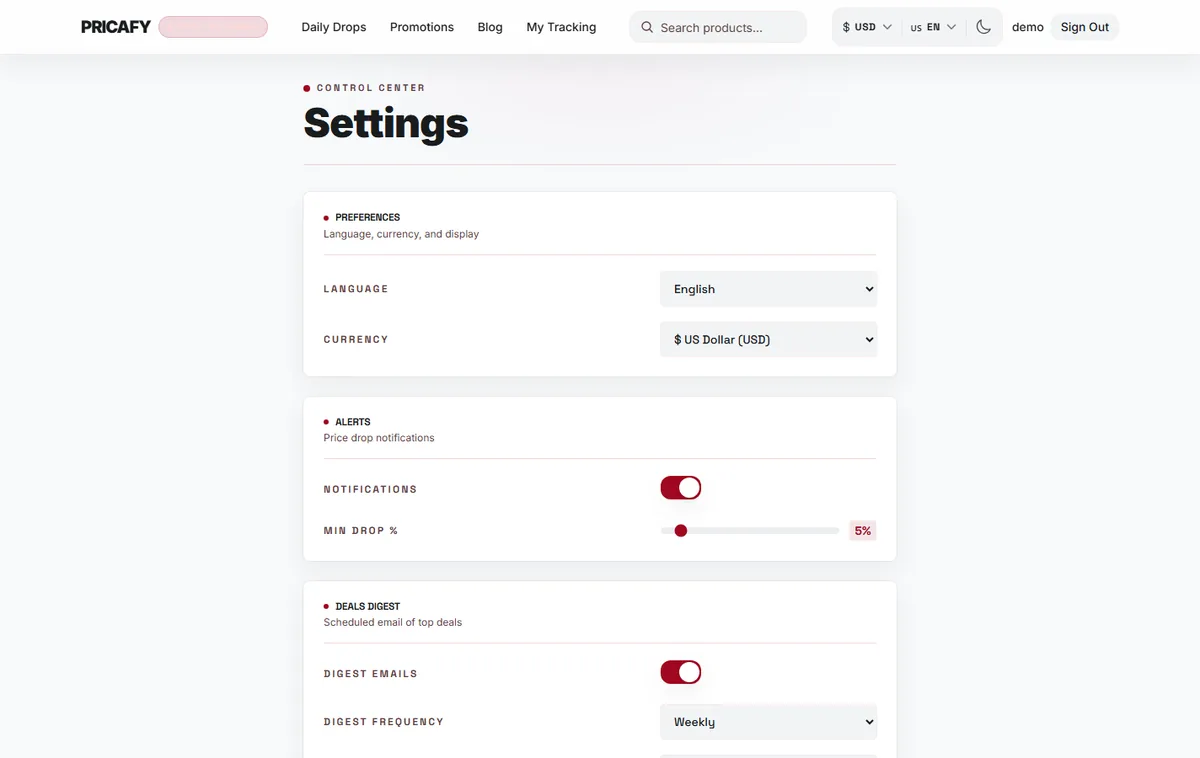
Preferences: language and currency
LANGUAGE sets the language of your emails and of the site. CURRENCY sets how prices are shown, and follows you to any device you sign in on.
The theme (light or dark) is not here: it lives in the top bar and is saved per browser.
- Language setting
- Currency setting
Step 3
Alerts: price-drop emails
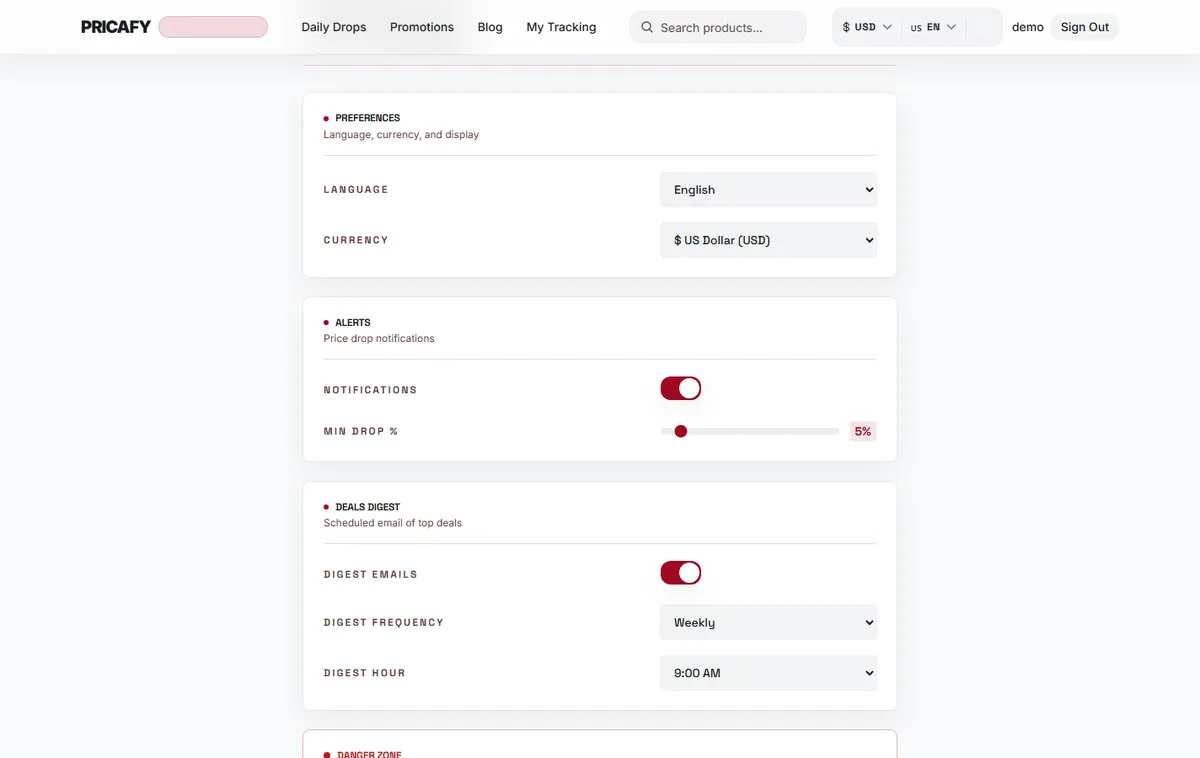
NOTIFICATIONS turns price-drop emails on or off for all your tracked products.
MIN DROP % (1 to 50%, 5% to start) is the smallest drop between two daily checks that sends an email.
- Notifications switch
- Min drop % slider
Step 4
Deals digest: a scheduled email of top deals
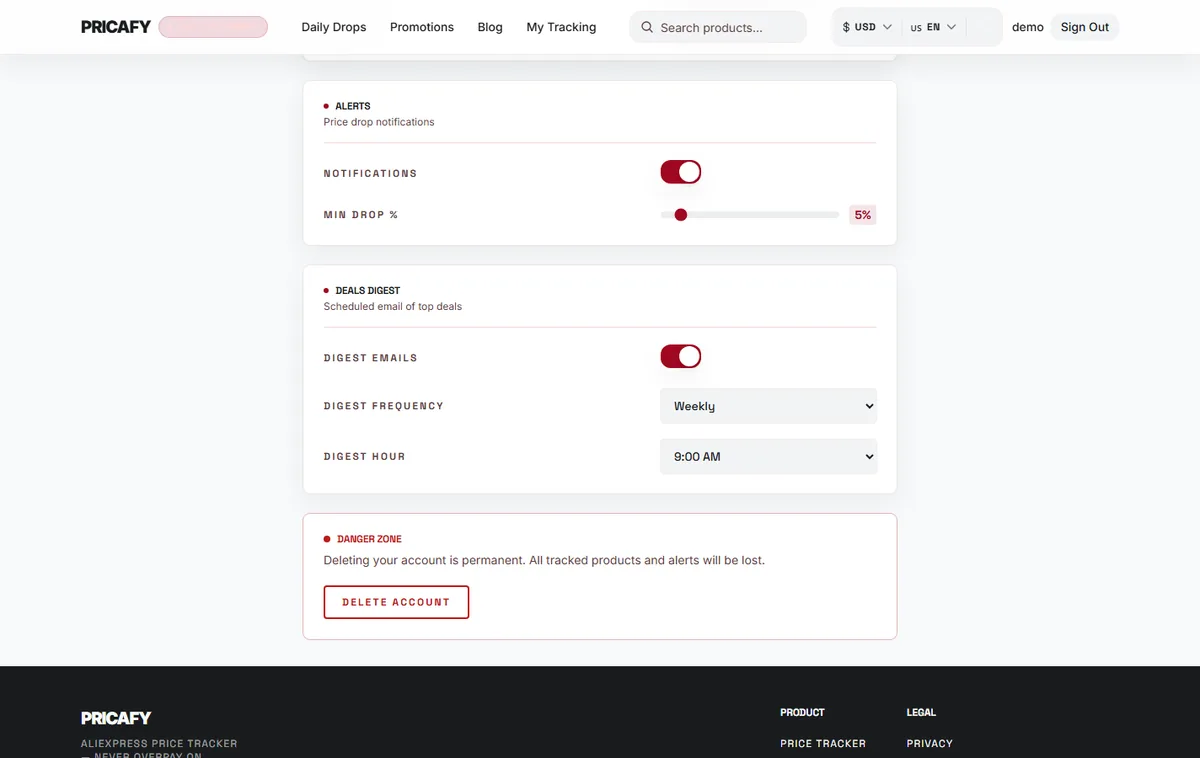
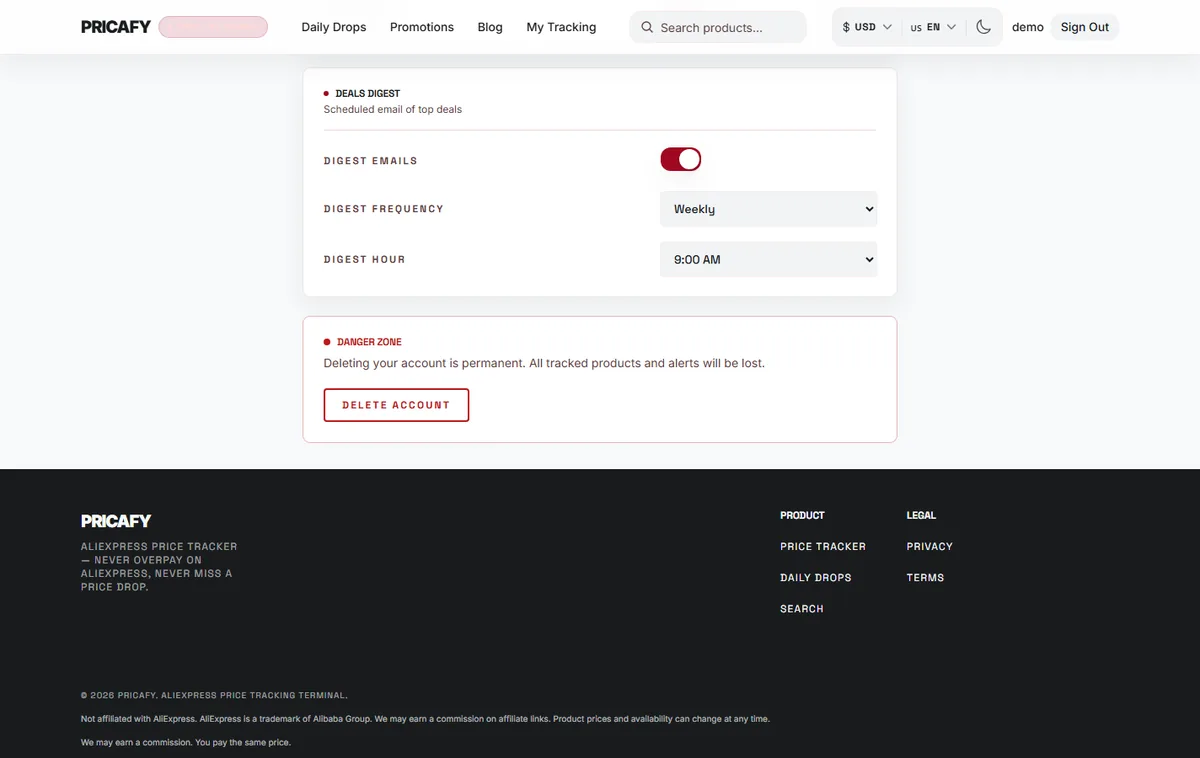
DIGEST EMAILS turns the digest on or off. DIGEST FREQUENCY is Daily or Weekly, and DIGEST HOUR is the hour it is sent, in UTC.
The two dropdowns are greyed out while the digest is off.
- Digest emails switch
- Digest frequency
- Digest hour
Step 5
Start deleting your account
At the bottom, under DANGER ZONE, click Delete Account. A confirmation box opens. Nothing is deleted yet.
- Delete Account button
Step 6
Confirm with DELETE
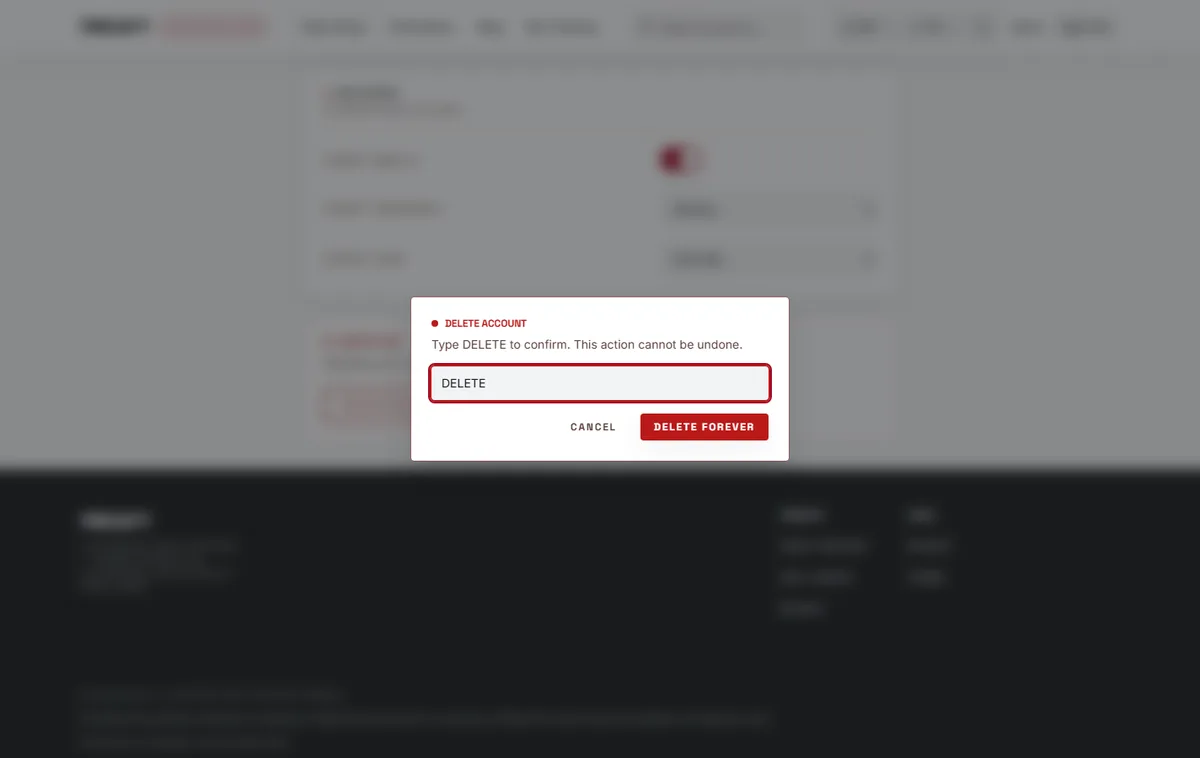
Type DELETE in capital letters (the same word in every language), then click Delete forever. Changed your mind? Click Cancel.
Pricafy deletes your account straight away, signs you out and takes you to the home page. Your tracked products, target prices and email settings are deleted with it, and no new price alerts or digests are sent.
- DELETE confirmation field
- Delete forever button


If it didn't work
- Failed to save. Try again.: check your connection and try again. For the currency, your account can only save USD, EUR, GBP, RUB, BRL, KRW, CNY, SAR and IRR.
- Settings sends you to the sign-in page: your session has ended. Sign in and open Settings again.
- Delete forever stays greyed out: type DELETE exactly, in capital letters, with no spaces.
- Failed to delete account. Try again.: nothing was deleted. Sign in again and retry.
Frequently asked questions
Can I get my account back after deleting it?
No. Everything is deleted for good. You can sign up again with the same email, but you start with an empty account.
Can I pause emails instead of deleting my account?
Yes. Switch off NOTIFICATIONS and DIGEST EMAILS. Your account and tracked products stay.
Is the price history of my products deleted too?
Price history belongs to the product, not to you, so other shoppers still see it. It isn't linked to your account.
Was this article helpful?
Next step
Related articles
- Change language, currency and themeSwitch the language Pricafy speaks, the currency it shows prices in, and light or dark mode, with or without an account.3 min read
- What is Pricafy? Web app, extension and Telegram botPricafy tracks AliExpress prices for free. Pick the web app, the browser extension or the Telegram bot — here is what each one does.3 min read
- Create your free Pricafy account and verify your emailSign up with your email and a password, then confirm your address from the email Pricafy sends you. It's free and takes about a minute.3 min read
- Sign in, stay signed in and reset your passwordSign in with your email and password, learn how long Pricafy keeps you signed in, and set a new password if you forgot yours.4 min read