Tracking & price history
Your dashboard: sort, read and manage what you track
Everything you track lives on your dashboard: today's prices, badges, the change since you started tracking, target prices and a quick way to add more.
4 min read · Updated 2026-09-26
What you'll get
You'll know what every part of a product card means, and how to sort, add, share and stop tracking products.
Before you start
- A free Pricafy account, and you're signed in.
- At least one tracked product (see the guide "Track a product"). Until then the dashboard only shows a Find AliExpress products button.
On this page
Step by step
Step 1
Open your dashboard and sort the list
Click My Tracking in the menu. On a phone, tap Dashboard in the bar at the bottom. The heading shows how many products you track.
To add another product, paste its AliExpress product link or item ID into PASTE ANOTHER ALIEXPRESS URL and click Track. This opens the product page: click Track it free there to add it.
Use the tabs to sort the list:
- Newest: the products you tracked most recently come first.
- Price: cheapest first.
- Change: the biggest drop since you started tracking comes first.
The dashboard lists up to 50 tracked products.
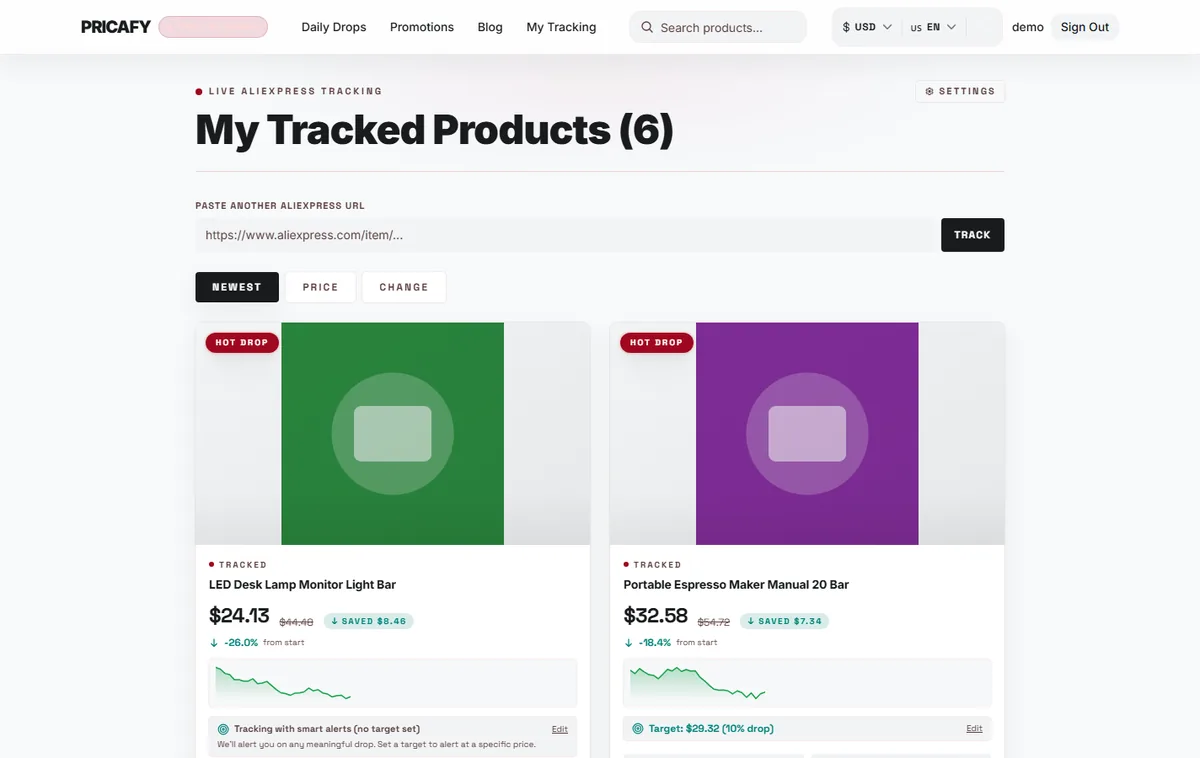
- Paste box
- Sort tabs
Step 2
Read a product card
Each card shows today's price and:
- A badge on the photo: ALL TIME LOW when the price is the lowest we've recorded, HOT DROP when it's at least 15% below the price when you started tracking, otherwise STABLE.
- The change in % from start, the price when you started tracking. A minus sign means it's cheaper now, and a pill shows how much you save.
- A small chart of recent prices.
- Your target price, with Edit to set or change it (see the guide "Set a target price").
Share copies the product's link, or opens your phone's share menu. Stop tracking removes the product from your dashboard straight away, with no confirmation, and its emails stop.
Click anywhere else on the card to open the product page.
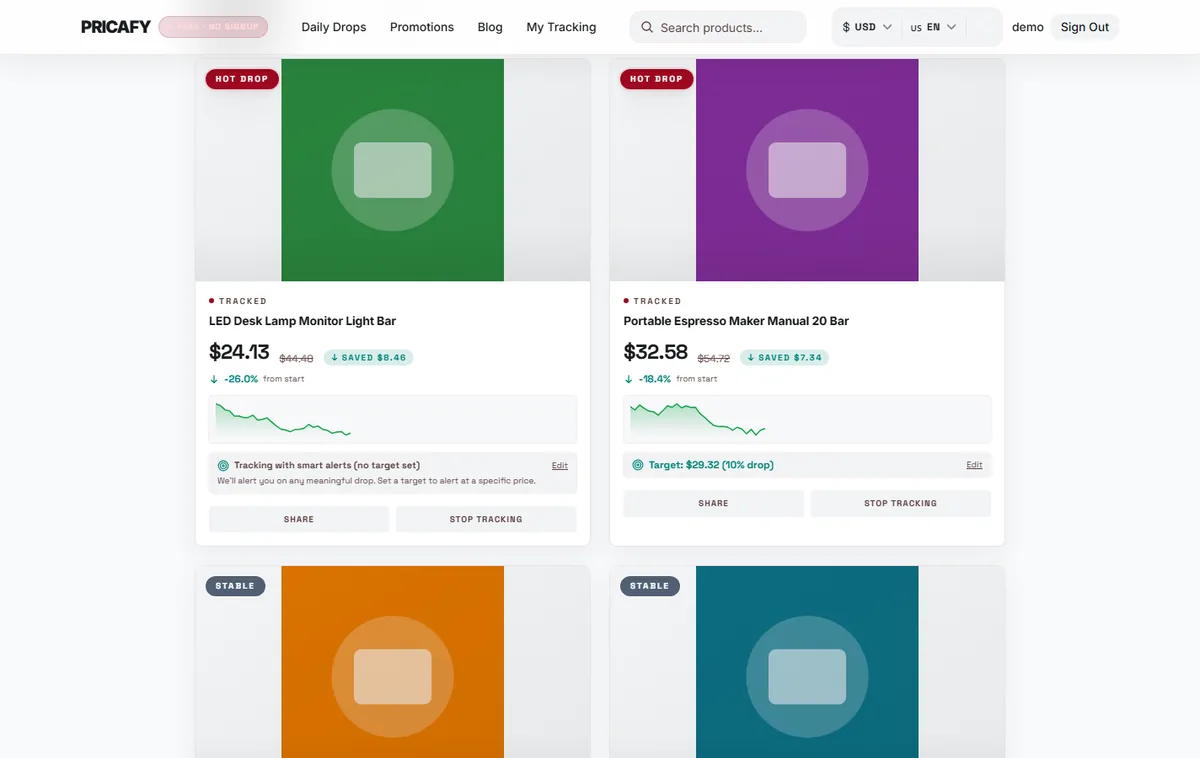
- Price badge
- Change from start
- Edit target button
- Stop tracking button
Step 3
If you see the keep-alerts-active banner
25 days after you last opened AliExpress through Pricafy in this browser, a KEEP YOUR ALERTS ACTIVE banner appears at the top of the dashboard. After 30 days it changes to ALERTS MAY PAUSE SOON.
Click Open a tracked deal. It opens one of your tracked products on AliExpress in a new tab, and the banner goes away. It also unlocks the price history in this browser for another 30 days.
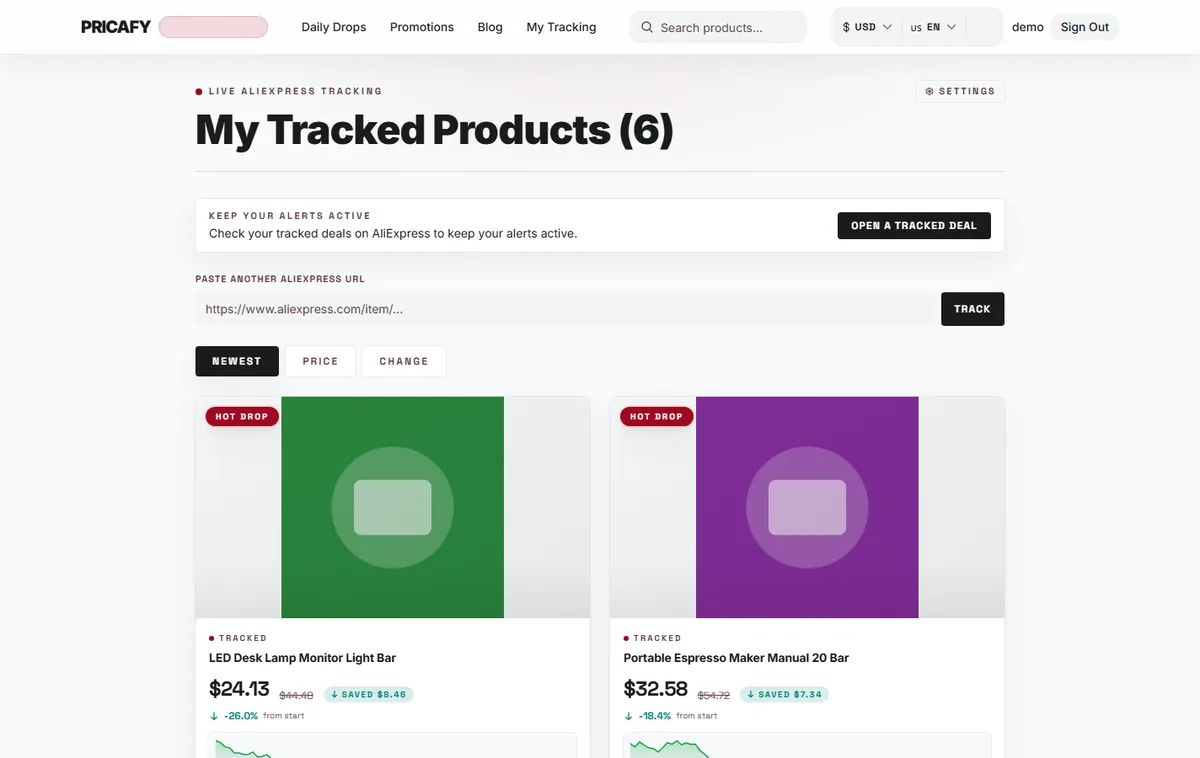
- Keep-alerts-active banner


If it didn't work
- The dashboard sends you to the sign-in page: you're signed out. Sign in again and open My Tracking.
- That doesn't look like a valid AliExpress product URL.: the paste box only takes full AliExpress product links (with /item/ in them) or item IDs. For a short link, paste it into the search box at the top instead.
- A product you track isn't in the list: the dashboard lists up to 50 products. Stop tracking the ones you no longer need.
- You stopped tracking a product by mistake: open it again (search for it) and click Track it free.
Frequently asked questions
Why do I only see 50 products?
The dashboard loads up to 50 of your tracked products. If you track more, we keep checking all of them, but only 50 are listed.
What does the % change compare against?
The price on the day you started tracking the product, not the old price AliExpress crosses out.
Why don't I see the banner?
It only appears 25 days or more after you last opened AliExpress through Pricafy in this browser. It doesn't appear if you've never done that in this browser.
Can I set a target price on the product page?
No. Target prices are set only on the dashboard: click Edit on the product's card.
Was this article helpful?
Next step
Related articles
- Your tour of a product pageWhat each part of a Pricafy product page tells you: the current price and savings, Buy and Track, the price history chart, badges and cheaper alternatives.4 min read
- Unlock the price historyWhy the price chart is blurred and Track is greyed out, and how to unlock both in a few seconds by opening the product on AliExpress once.3 min read
- Track a product and get price-drop emailsClick Track on a product page and Pricafy checks its price every 24 hours and emails you when it drops.4 min read
- Set a target priceTell Pricafy the price you'd pay, and we'll only email you once a drop brings the product to that price or lower.3 min read