Tracking & price history
Track a product and get price-drop emails
Click Track on a product page and Pricafy checks its price every 24 hours and emails you when it drops.
4 min read · Updated 2026-09-26
What you'll get
The button changes to Tracking, the product appears on your dashboard, and you'll get an email when its price drops.
Before you start
- A free Pricafy account. You can create one during these steps.
- The price history unlocked in this browser. Otherwise the Track button stays greyed out (see the guide "Unlock the price history").
On this page
Step by step
Step 1
Click Track on the product page
Open the product and click Track it free. On a phone, it's in the bar at the bottom of the screen.
If the button is greyed out, unlock the price history first: click View on AliExpress in the price history card, then come back to the Pricafy tab.
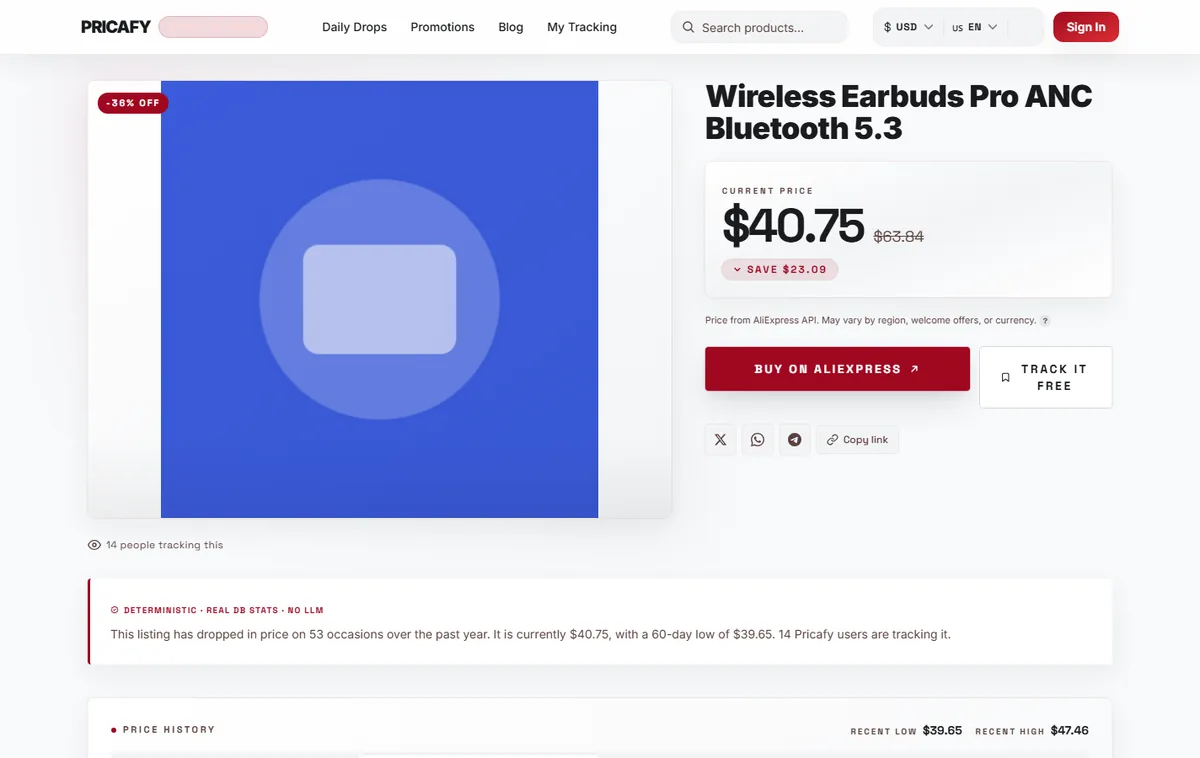
- Track button
Step 2
Sign in if Pricafy asks you to
If you aren't signed in, Pricafy opens the sign-in page with a note naming the product you want to track. Enter your email and password and click Sign in.
No account yet? Click CREATE FREE ACCOUNT. After you sign up, open the product again and continue with the next step.
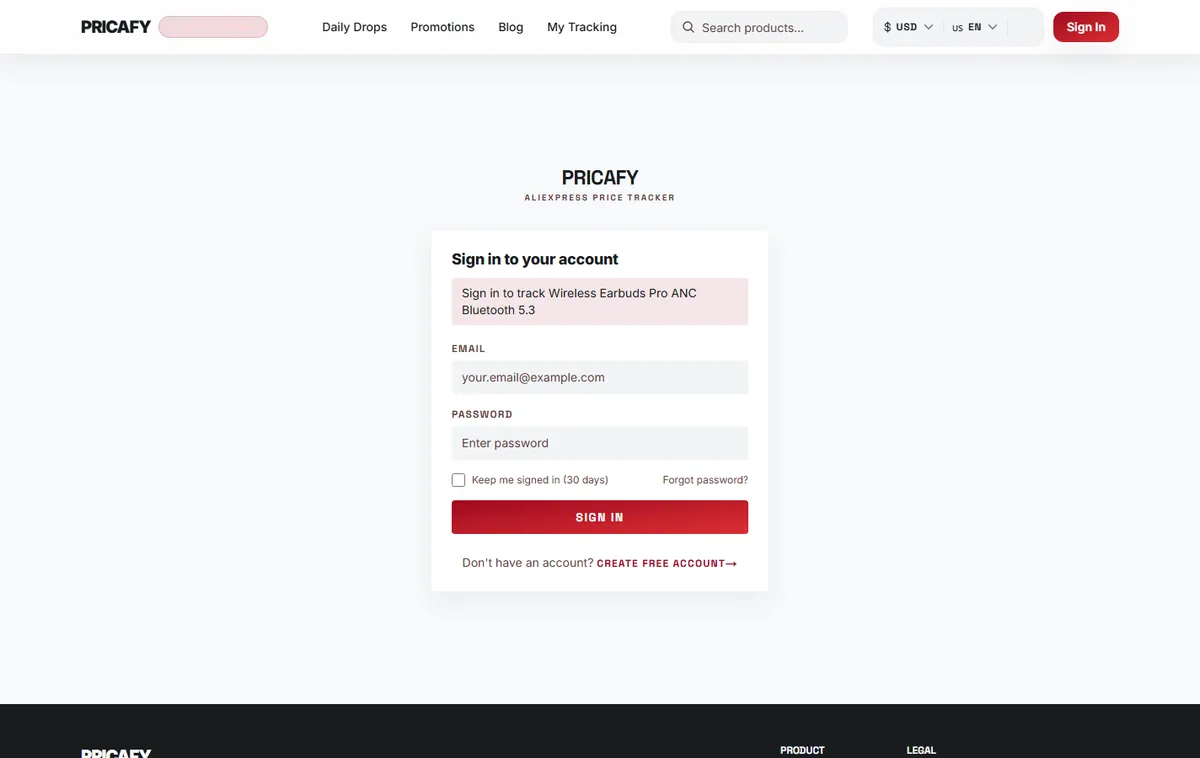
- Track sign-in banner
- Submit button
Step 3
Click Track once more
After signing in you're back on the product page. Signing in doesn't track the product by itself: click Track it free again.
The button changes to Tracking and the product is added to your dashboard (My Tracking in the menu).
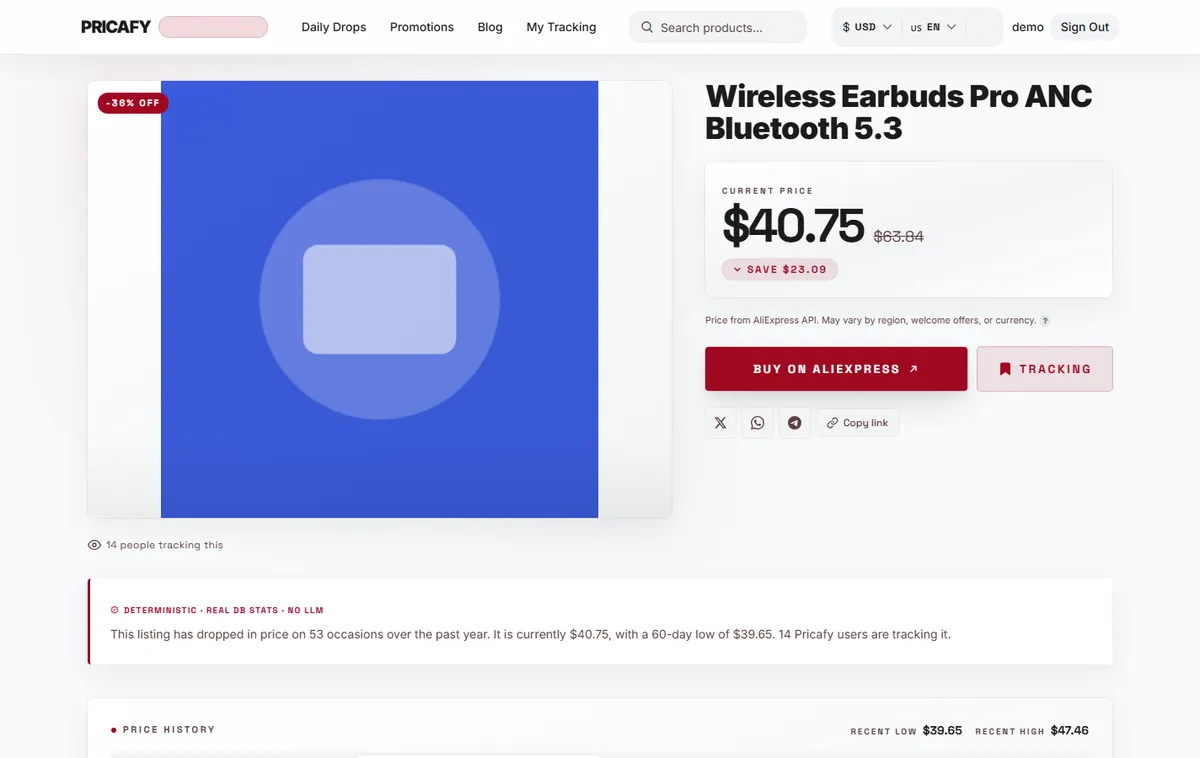
- Track button
Step 4
Know when you'll get an email
From now on:
- We check the price every 24 hours.
- We email you when the price drops by at least your MIN DROP % (5% unless you change it in Settings) and, if you set a target price, is at or below your target.
- You get at most one email per product every 24 hours. Emails arrive between 30 minutes and 12 hours after we spot the drop, and can suggest up to 3 alternatives.
- Alerts are sent by email only, and only while notifications are on in Settings.
Target prices are set on your dashboard, not on the product page.
Step 5
Stop tracking when you're done
To stop, click Tracking on the product page. It switches back to Track it free and the emails for this product stop. You can also stop tracking from your dashboard.


If it didn't work
- Track it free is greyed out: the price history isn't unlocked in this browser. Click View on AliExpress, then come back to the Pricafy tab and wait 3 seconds.
- You signed in but the product isn't tracked: signing in only brings you back to the product. Click Track it free again.
- This product isn't available for tracking yet. Please check back shortly.: the product isn't in our database yet. Try again in a little while.
- Something went wrong. Please try again.: a network or server hiccup. The button goes back to how it was. Click it again.
- No emails yet: check your spam folder and make sure notifications are on in Settings. An email is only sent after a drop of at least your MIN DROP %, and can take up to 12 hours to arrive.
Frequently asked questions
Is tracking free?
Yes. Tracking and price-drop emails are free.
Can I get alerts on Telegram or as push notifications?
No. The web app sends price-drop alerts by email only.
Why didn't I get an email the moment the price dropped?
Prices are checked once every 24 hours, and each email is sent 30 minutes to 12 hours after we spot the drop. You also get at most one email per product per day.
Where do I see everything I track?
On your dashboard: open My Tracking in the menu.
Was this article helpful?
Next step
Related articles
- Your tour of a product pageWhat each part of a Pricafy product page tells you: the current price and savings, Buy and Track, the price history chart, badges and cheaper alternatives.4 min read
- Unlock the price historyWhy the price chart is blurred and Track is greyed out, and how to unlock both in a few seconds by opening the product on AliExpress once.3 min read
- Your dashboard: sort, read and manage what you trackEverything you track lives on your dashboard: today's prices, badges, the change since you started tracking, target prices and a quick way to add more.4 min read
- Set a target priceTell Pricafy the price you'd pay, and we'll only email you once a drop brings the product to that price or lower.3 min read