Tracking & price history
Unlock the price history
Why the price chart is blurred and Track is greyed out, and how to unlock both in a few seconds by opening the product on AliExpress once.
3 min read · Updated 2026-09-26
What you'll get
The full price history chart appears, Track it free becomes clickable, and both stay unlocked in this browser for 30 days, on every product.
Before you start
- A product page open on Pricafy.
- No account needed. Buying something isn't needed either.
- On a phone, AliExpress may open in its app. That works too: just switch back to your browser afterwards.
On this page
Step by step
Step 1
Find the blurred chart
Scroll to the Price History card. Until you unlock it, the chart is blurred behind a box titled See price history. The Recent low and Recent high prices above it stay visible.
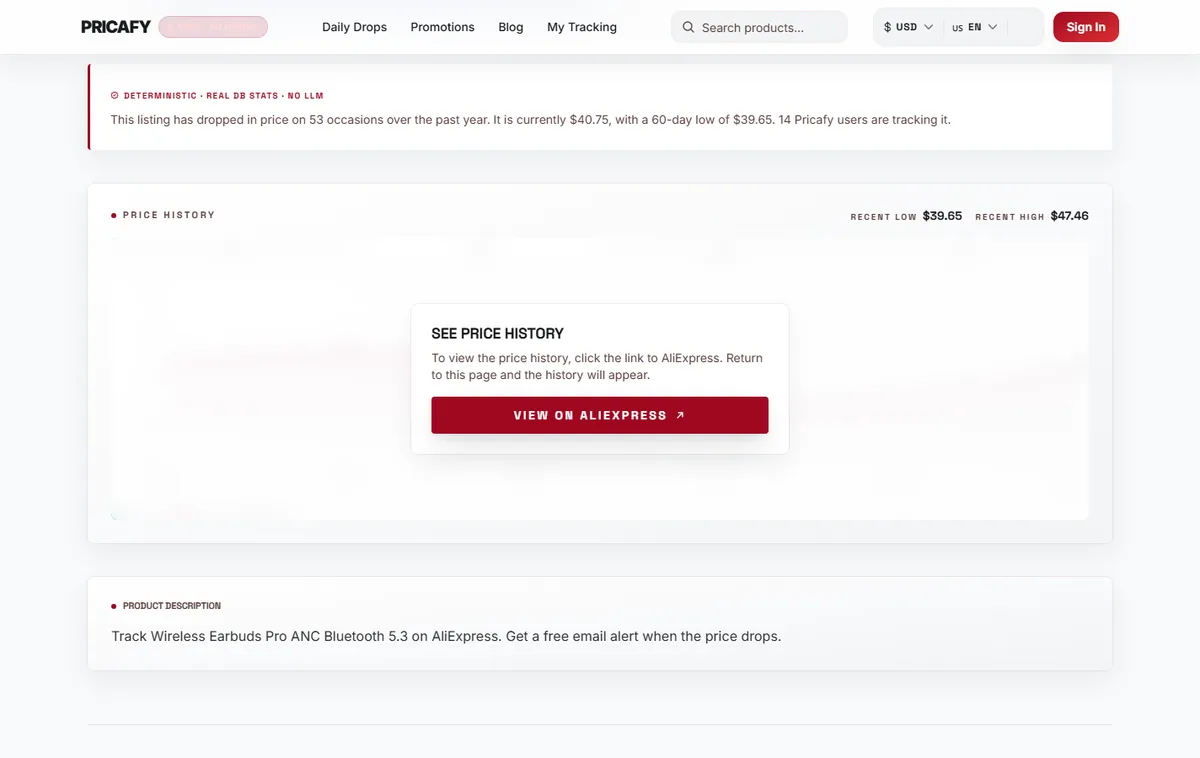
- Price history chart
- Unlock button
Step 2
Notice that Track is greyed out too
Until you unlock the history, Track it free is greyed out and does nothing. On a computer, hover over it to see Unlock price history first.
Buy on AliExpress always works, locked or not.
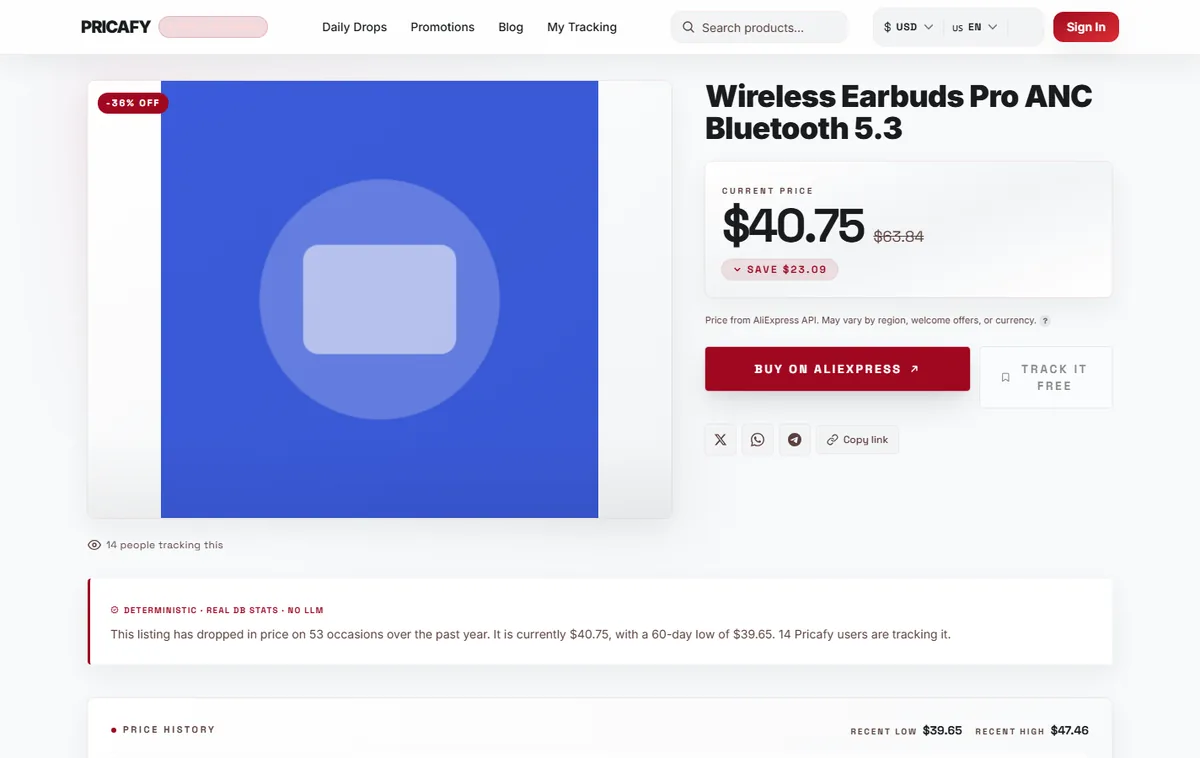
- Track button
Step 3
Open the product on AliExpress
Click View on AliExpress. The product opens on AliExpress in a new tab. Have a look if you like: you don't have to buy anything.
This visit is what keeps Pricafy free. It's an affiliate link, so we may earn a commission if you buy, at no extra cost to you.
- Unlock button
Step 4
Come back to Pricafy
Switch back to the Pricafy tab and wait about 3 seconds. The blur disappears and the full chart shows. Track it free is now clickable.
Don't reload the page in those seconds, or you'll need to click View on AliExpress again.
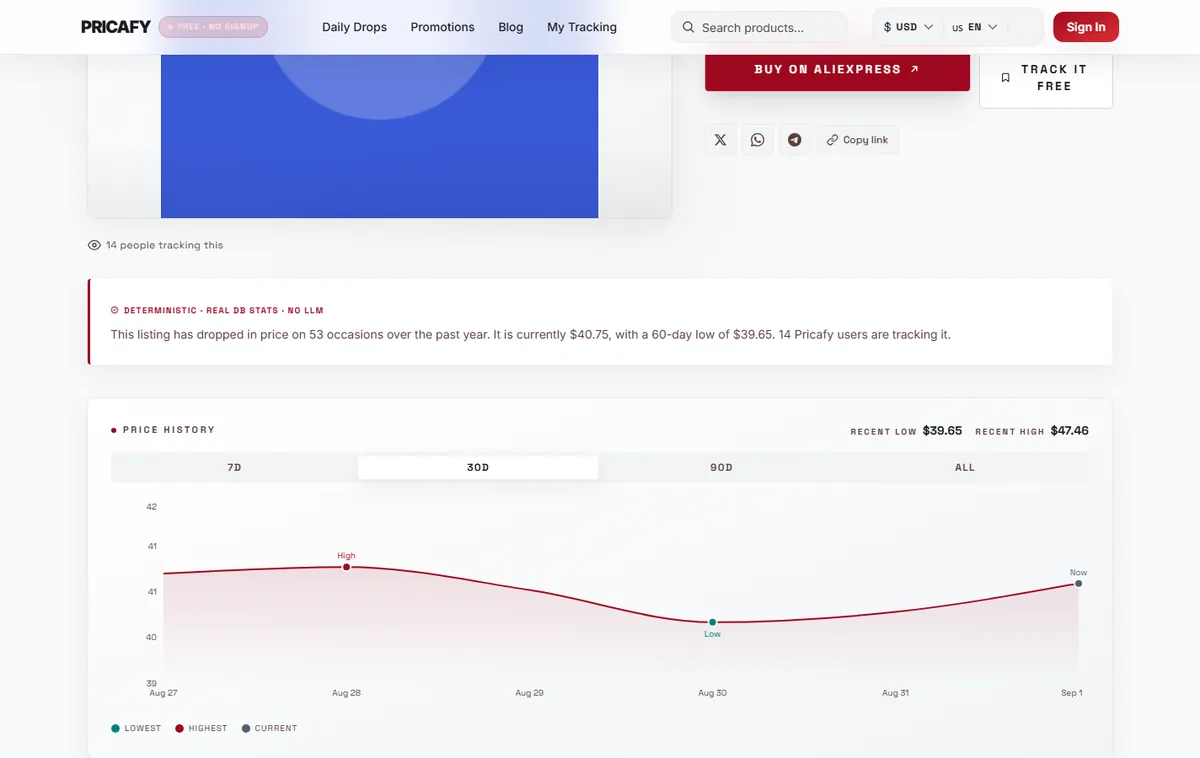
- Price history chart
Step 5
Know how long it lasts
The unlock is saved in this browser for 30 days and covers every product, not just this one.
If you're signed in when you unlock, it's also saved to your account, so it carries over when you sign in on another browser or device. After 30 days the chart is blurred again: repeat these steps.


If it didn't work
- The chart is still blurred after you came back: the unlock only starts when you return to the Pricafy tab after clicking View on AliExpress. Click into the Pricafy tab and wait 3 seconds without reloading.
- Nothing opened when you clicked: your browser or an ad blocker stopped the new tab. Allow pop-ups for Pricafy, or pause the blocker on this site, and try again.
- It's blurred again on another browser, device or in a private window: the unlock is saved per browser. Sign in there if you unlocked while signed in, or repeat the steps.
- It's blurred again after you cleared your browsing data: clearing site data removes the unlock. Repeat the steps.
Frequently asked questions
Why do I have to visit AliExpress?
Pricafy is free. When you open AliExpress through our link, we may earn a small commission if you buy something, and you pay the same price. That's what pays for price tracking.
Do I have to buy something?
No. Opening the product on AliExpress and coming back is enough.
Do I have to unlock every product separately?
No. One unlock covers every product in this browser for 30 days.
Can I buy without unlocking?
Yes. Buy on AliExpress always works.
Was this article helpful?
Next step
Related articles
- Your tour of a product pageWhat each part of a Pricafy product page tells you: the current price and savings, Buy and Track, the price history chart, badges and cheaper alternatives.4 min read
- Track a product and get price-drop emailsClick Track on a product page and Pricafy checks its price every 24 hours and emails you when it drops.4 min read
- Your dashboard: sort, read and manage what you trackEverything you track lives on your dashboard: today's prices, badges, the change since you started tracking, target prices and a quick way to add more.4 min read
- Set a target priceTell Pricafy the price you'd pay, and we'll only email you once a drop brings the product to that price or lower.3 min read