Tracking & price history
Your tour of a product page
What each part of a Pricafy product page tells you: the current price and savings, Buy and Track, the price history chart, badges and cheaper alternatives.
4 min read · Updated 2026-09-26
What you'll get
You'll know what every part of a product page means and can judge whether today's price is a good one.
Before you start
- A product page open on Pricafy. Search for a product, paste its AliExpress link, or open one from the deals.
- No account needed to look around. You only need a free account to track a price.
On this page
Step by step
Step 1
Read the price and your savings
Current Price is today's price on AliExpress, converted into the currency you picked in the header. When the product is on sale, the old price is crossed out and a red badge shows how much you save. The red -% badge on the photo is the same discount.
Prices come from AliExpress and can change at checkout with your region, first-order offers, coupons or currency. The small ? under the price explains this.
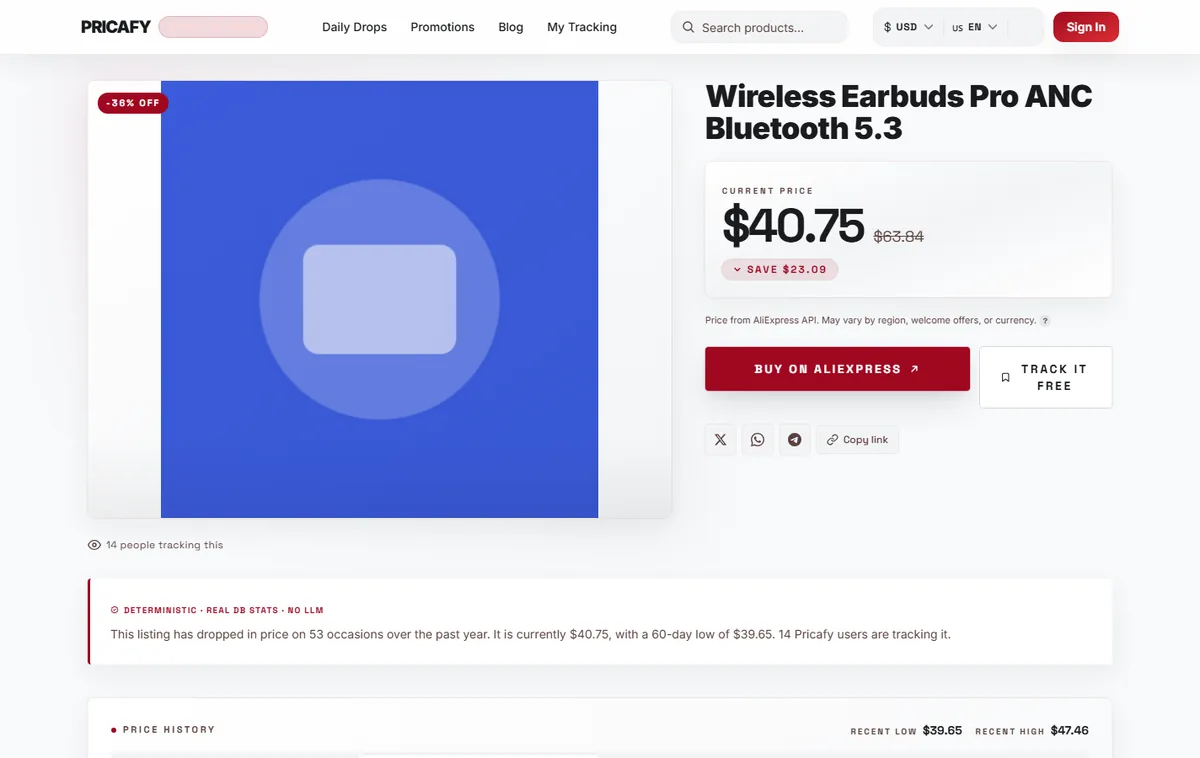
- Current price
Step 2
Buy it, or track it for a lower price
Buy on AliExpress opens the product on AliExpress. It always works, with or without an account.
Track it free adds the product to your dashboard, and we email you when the price drops. It stays greyed out until you unlock the price history (see the next step).
On a phone, both buttons sit in a bar at the bottom of the screen once you scroll down a little.
- Buy button
- Track button
Step 3
Check the price history
The Price History card shows how the price moved. Recent low and Recent high are the lowest and highest prices we've recorded for this product.
Switch between 7D, 30D, 90D and All to change the period. The coloured dots mark the lowest, highest and current price. If you track the product and set a target price, a dashed target line appears on the chart too.
If the chart is blurred, you need to unlock it once. It takes a few seconds: see the guide "Unlock the price history".
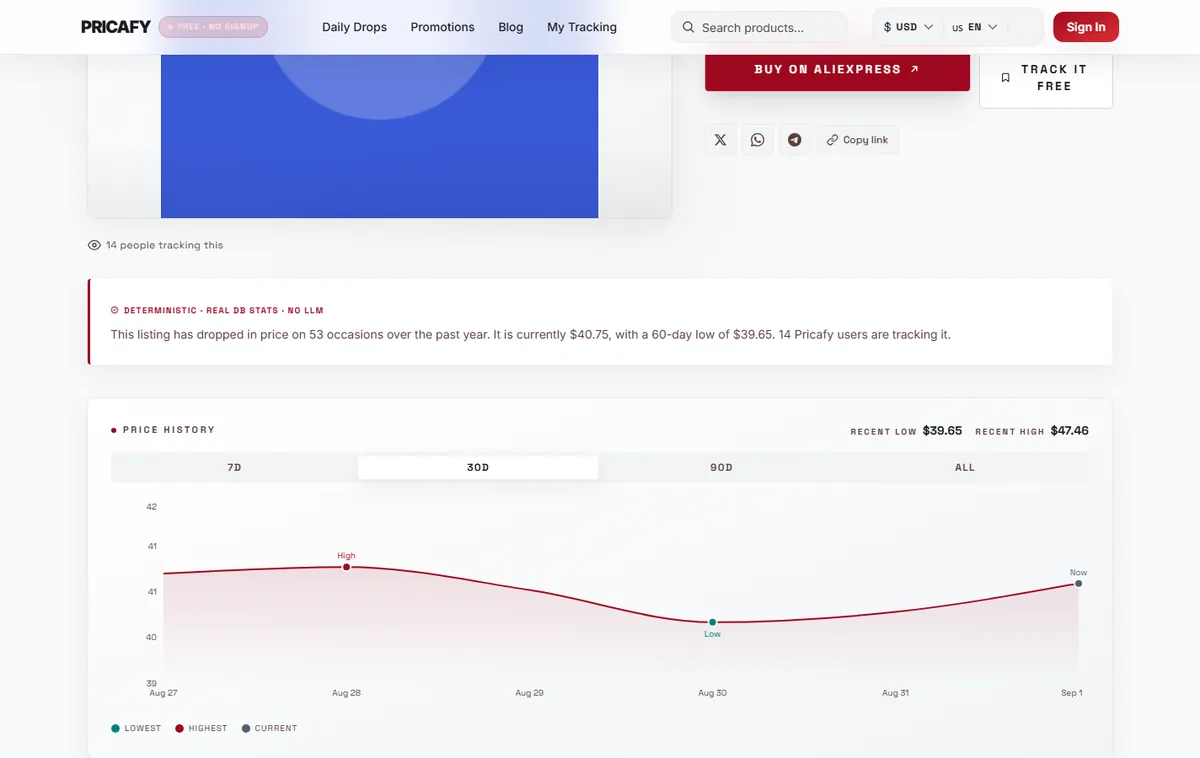
- Price history chart
Step 4
Spot a good moment to buy
Right under the price, badges can appear:
- Lowest in 30 days: today's price is the lowest of the last 30 days.
- A "price dropped … ago" badge: the price fell within the last 48 hours.
No badge simply means neither is true right now.
Step 5
Compare cheaper alternatives
Scroll to the bottom of the page for Cheaper Alternatives: similar products at a lower price. Open one to compare its price and price history.
This section only appears when we find matching products.
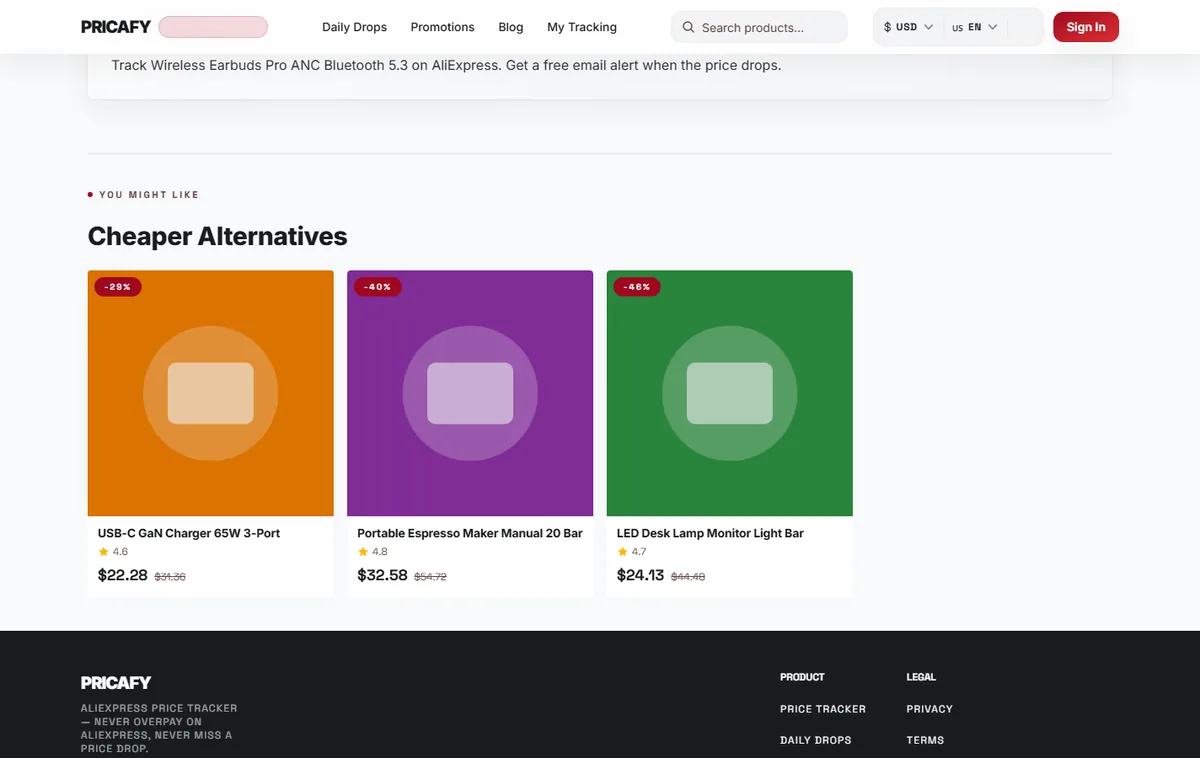
- Cheaper alternatives


If it didn't work
- Track it free is greyed out: the price history isn't unlocked in this browser yet. Click View on AliExpress in the price history card, then come back to the Pricafy tab.
- The price on AliExpress is different: the final price depends on your region, first-order offers, coupons and currency. Always check the price on AliExpress before you pay.
- The chart says No price history available: we don't have recorded prices for this product yet. Check back in a few days.
- There's no Cheaper Alternatives section: we didn't find similar products for this item.
Frequently asked questions
Why is the price in my currency slightly different from AliExpress?
Pricafy converts the AliExpress price with current exchange rates. AliExpress may use its own rates, so small differences are normal. You can change the currency from the menu in the header.
Do I pay more if I buy through Pricafy?
No. Links to AliExpress are affiliate links: Pricafy may earn a commission, and you pay the same price.
Can I share a product with a friend?
Yes. Under the Buy and Track buttons you can share on X, WhatsApp or Telegram, or use Copy link.
Was this article helpful?
Next step
Related articles
- Unlock the price historyWhy the price chart is blurred and Track is greyed out, and how to unlock both in a few seconds by opening the product on AliExpress once.3 min read
- Track a product and get price-drop emailsClick Track on a product page and Pricafy checks its price every 24 hours and emails you when it drops.4 min read
- Your dashboard: sort, read and manage what you trackEverything you track lives on your dashboard: today's prices, badges, the change since you started tracking, target prices and a quick way to add more.4 min read
- Set a target priceTell Pricafy the price you'd pay, and we'll only email you once a drop brings the product to that price or lower.3 min read